
SEO, or Search Engine Optimization, is the practice of improving your website so that search engines like Google show it to more people. If you are just starting out, the sheer volume of advice online can feel overwhelming — but the good news is that you do not need to master everything at once. A focused set of beginner-friendly SEO tips can move the needle significantly, even in your first few weeks. This guide breaks down exactly what you need to know, in plain language, with clear and actionable steps you can start using today.

What Is SEO and Why Does It Matter for Your Website?
SEO is defined as the process of optimizing your website’s content, structure, and authority so search engines rank it higher in organic (unpaid) search results. When someone types a question into Google, the search engine scans billions of pages and decides which ones best answer that question. Your goal with SEO is to make sure your pages are among the ones Google chooses to show. If you want a deeper dive into how this works, reading about what SEO is and how search engine optimization works and why your website needs it is an excellent starting point.
Studies show that the first result on Google receives approximately 27.6% of all clicks, while results on page two receive less than 1% of traffic. This dramatic drop-off makes ranking on the first page not just desirable — it is essential for driving meaningful website traffic. Without SEO, even the most beautifully designed website can sit invisible in search results.
SEO matters because organic search is consistently one of the top sources of website traffic across industries. Unlike paid advertising, which stops the moment you stop paying, SEO builds compounding value over time. A well-optimized page can attract visitors for months or even years after it is published.
How Do Keywords Work and How Should Beginners Use Them?
A keyword is defined as any word or phrase that a user types into a search engine when looking for information, products, or services. Choosing the right keywords is the foundation of every effective SEO strategy. Without targeting the right terms, even excellent content may never reach the people it is meant for.
The best way to find beginner-friendly keywords is to look for phrases with moderate search volume and low competition. High-volume keywords like “shoes” are dominated by major brands with massive authority — a new website has almost no chance of ranking for them. Instead, focus on long-tail keywords, which are longer, more specific phrases like “comfortable running shoes for flat feet,” because they attract users with clear intent and are far easier to rank for.
Here is a simple process for keyword research as a beginner:
- Brainstorm topics related to your business or content niche.
- Use a keyword research tool to find search volume and competition data for those topics.
- Identify long-tail variations with specific user intent.
- Group related keywords into clusters to plan your content pages.
- Prioritize keywords where your website has a realistic chance of ranking within three to six months.
According to research, long-tail keywords account for approximately 70% of all search queries online. This means the majority of what people actually search for is highly specific. Targeting these phrases consistently gives beginner websites a genuine path to organic visibility.
What Is On-Page SEO and How Should You Optimize Each Page?
On-page SEO is defined as all the optimization actions you take directly on a webpage to improve its relevance and visibility in search results. This includes your title tags, headings, content, images, and internal links. Getting on-page SEO right is one of the highest-impact areas for beginners because it is entirely within your control.
How Should You Write Title Tags and Meta Descriptions?
Your title tag is the clickable headline that appears in search results, and it is one of the most important on-page SEO elements. It should include your primary keyword near the beginning and stay under 60 characters so it does not get cut off in search results. A compelling title tag also gives users a clear reason to click on your page over the competition.
Your meta description is the short summary that appears beneath the title in search results. While it is not a direct ranking factor, a well-written meta description significantly improves your click-through rate. Keep it between 150 and 160 characters and include your primary keyword naturally within the sentence.
How Do Headings and Content Structure Affect Rankings?
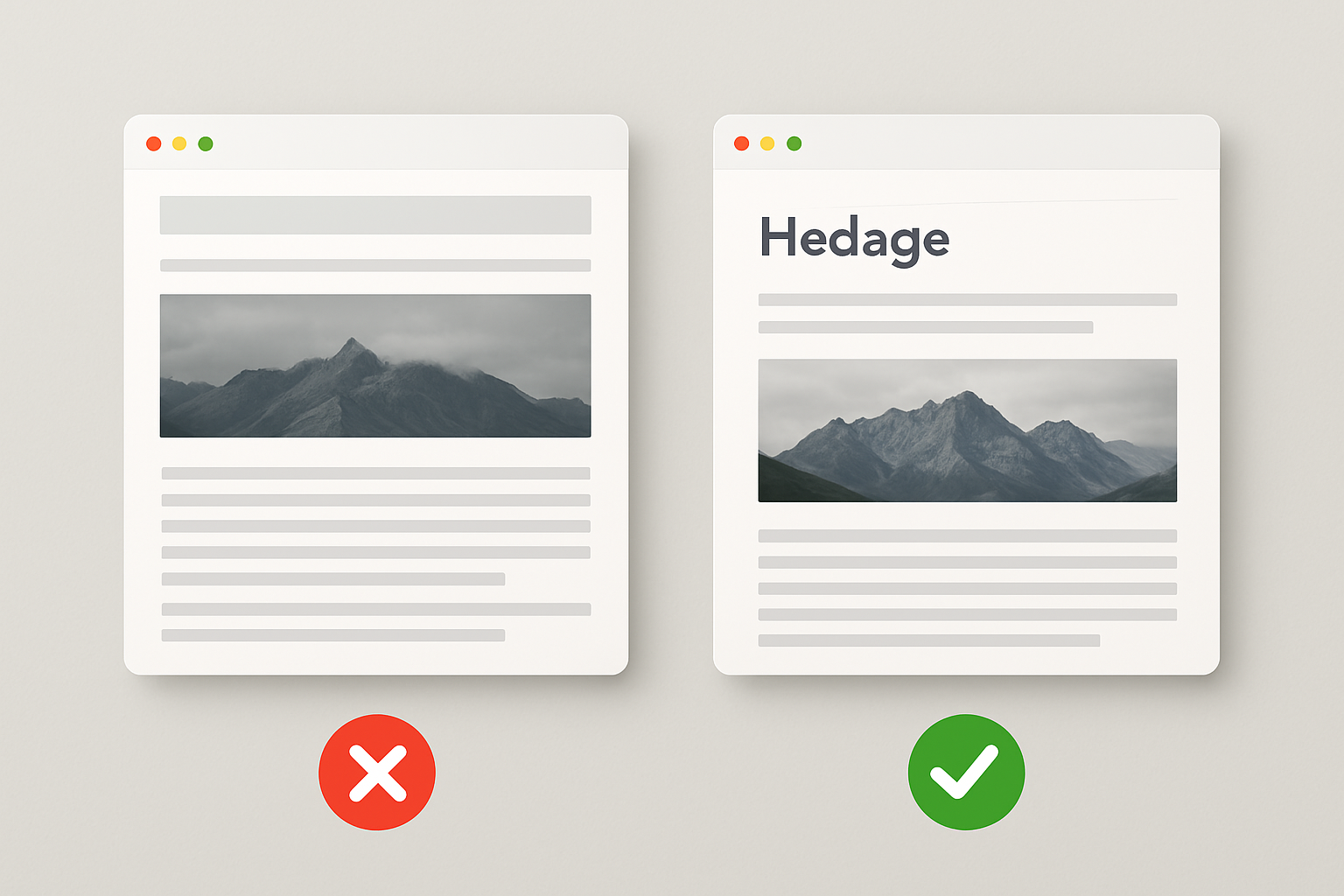
Headings (H1, H2, H3) help both readers and search engines understand the structure and hierarchy of your content. Your H1 should appear once per page and contain your main keyword. Use H2 and H3 subheadings to break content into logical sections that answer specific questions your target audience is asking.
Content quality is equally critical, and Google’s systems are increasingly good at recognizing genuinely helpful content versus thin or repetitive filler. Write for your human readers first, covering their questions thoroughly and accurately. Naturally weave in your target keyword and related terms without stuffing them artificially into sentences.
Why Do Images Need to Be Optimized for SEO?
Images are often overlooked by beginners, but they have real SEO value. Every image on your website should have a descriptive alt text attribute — a short written description that tells search engines what the image shows. Large uncompressed image files slow your page down significantly, which hurts both user experience and your search rankings.
Always compress images before uploading them and use modern formats like WebP where possible. Name your image files descriptively rather than leaving them as “IMG_4521.jpg.” A file named “beginner-seo-keyword-research-guide.webp” sends a clearer signal to search engines than a random string of numbers.
Why Is Technical SEO Important Even for Beginners?
Technical SEO refers to the behind-the-scenes elements of your website that affect how search engines crawl, index, and rank your pages. Many beginners assume technical SEO is only for developers, but understanding the basics can prevent major ranking problems. Even small technical issues can hold an otherwise great website back from the visibility it deserves.
How Does Page Speed Affect Your Search Rankings?
Page speed is a confirmed Google ranking factor, meaning slow pages are directly penalized in search results. Google’s Core Web Vitals report that 53% of mobile users abandon a page that takes longer than three seconds to load. For beginners, improving page speed often involves simple steps: compressing images, enabling browser caching, and choosing a quality hosting provider.
You can check your page speed using free tools available directly from Google, such as Google PageSpeed Insights. This tool gives you a score out of 100 and provides specific recommendations to improve loading time. Focus on the highest-impact fixes first rather than trying to address every suggestion simultaneously.
What Is Mobile-First Indexing and Why Does It Matter?
Mobile-first indexing means Google primarily uses the mobile version of your website to determine how it ranks in search results. As of 2026, more than 60% of global web traffic comes from mobile devices, making mobile optimization non-negotiable. If your website is difficult to navigate on a smartphone, your rankings will reflect that.
Use a responsive website design, which automatically adjusts your layout to fit any screen size. Test your website on multiple devices and screen sizes regularly. Ensuring text is readable without zooming and buttons are easy to tap are two simple fixes that make a significant difference.
How Does Link Building Help Beginner Websites Grow Authority?
Link building is the process of earning links from other websites that point back to your own, and it is one of the most powerful SEO signals Google uses to determine authority. The best way to earn quality backlinks as a beginner is to create genuinely useful, original content that other websites naturally want to reference. Guest blogging, creating shareable resources, and building relationships with other content creators in your niche are all effective starting strategies.
Not all links are created equal. A single backlink from a highly trusted, relevant website is worth far more than dozens of links from low-quality or unrelated sources. Focus on quality over quantity and always avoid practices like buying links or participating in link schemes, which violate Google’s guidelines and can result in penalties.
Internal linking — connecting your own pages to each other — is an often underutilized SEO strategy that beginners can implement immediately. For example, if you write an article about on-page SEO and you also have a detailed guide on proven strategies that drive real search engine ranking results, linking between them helps Google understand the relationship between your content and helps readers discover more of your work.
What Role Does Content Strategy Play in Long-Term SEO Success?
Content is the engine that drives SEO, and a consistent, strategic approach to publishing content is what separates websites that grow from those that stagnate. The best content strategy for beginners starts with identifying the core questions your target audience asks, then creating thorough, accurate, and engaging pages that answer those questions better than anyone else does. Publishing one excellent article per week consistently beats publishing ten mediocre ones in a single rush.
Topic clusters are a modern content strategy where you create one broad pillar page (a comprehensive overview of a major topic) and then support it with multiple in-depth articles covering related subtopics. This structure signals to search engines that your website has genuine expertise and depth on a subject. It also creates a natural internal linking structure that distributes authority across all your related pages.
Freshness matters in certain niches where information changes frequently, such as technology, finance, and health. Regularly updating older articles with new information, corrected statistics, and improved formatting can significantly lift their rankings. Treating your existing content as an asset to be maintained — not just published and forgotten — is a mindset shift that pays off substantially over time.
How Can Beginners Track SEO Progress and Know What Is Working?
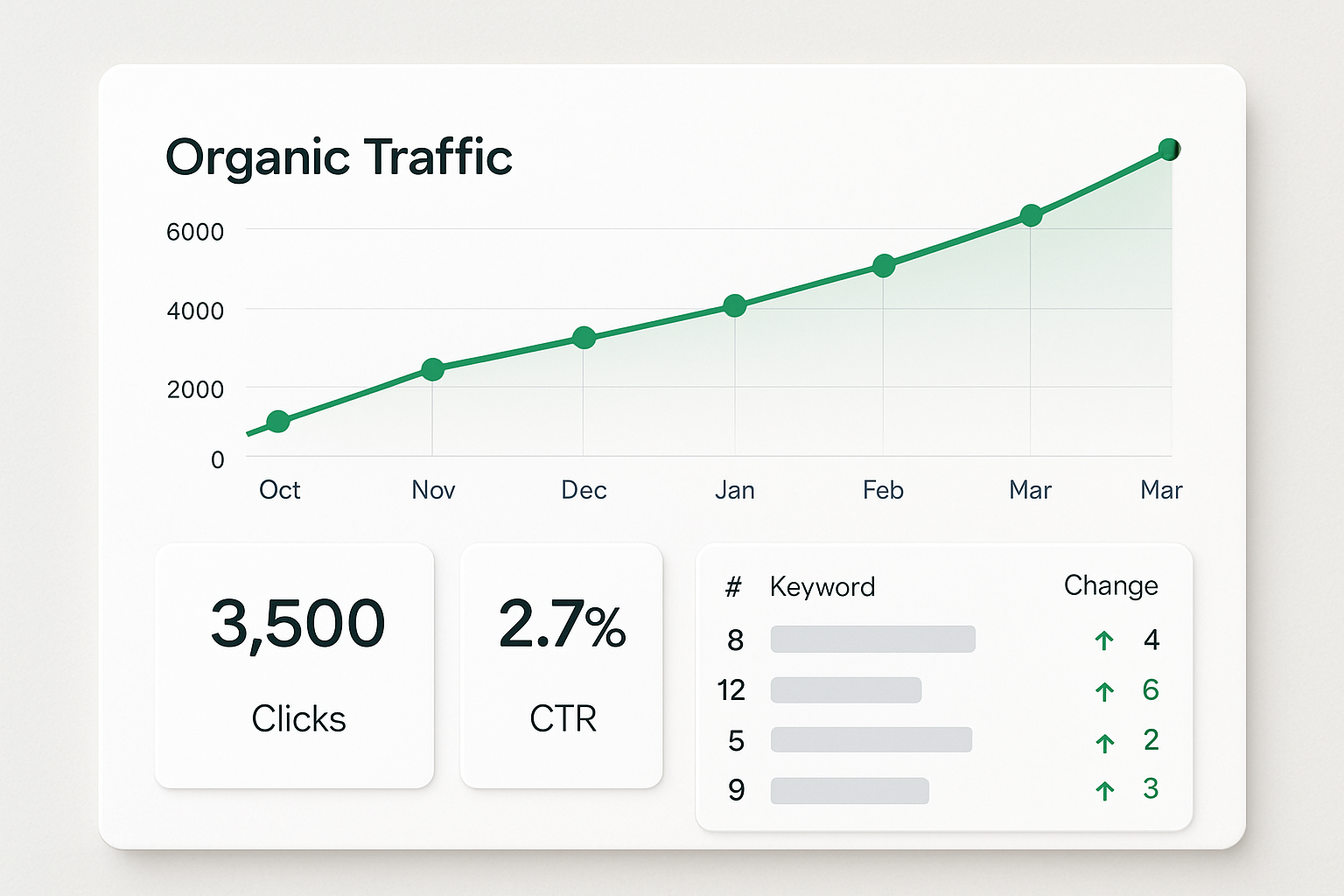
Tracking your SEO performance is essential because it shows you what is working, what is not, and where to focus your next efforts. Google Search Console is a free tool provided by Google that shows you which keywords your pages rank for, how many impressions and clicks they receive, and any technical issues affecting your site. Every beginner should set this up within the first week of starting their SEO journey.
Google Analytics (or its modern equivalent) lets you track overall website traffic, where visitors come from, how long they stay, and which pages they visit most. Combining data from both tools gives you a clear picture of your SEO health. Set a regular schedule — monthly at minimum — to review your metrics and adjust your strategy accordingly.
Traditional SEO tools and legacy platforms can be expensive and complex, often overwhelming beginners with data they do not yet know how to interpret. Modern solutions like RankBloom SEO are designed specifically to make this tracking process accessible and actionable, even for users who are just starting out. If budget is a concern, exploring affordable SEO software built for solo entrepreneurs and startups can help you get professional-level insights without the enterprise price tag.
What Are the Most Common SEO Mistakes Beginners Should Avoid?
Avoiding common pitfalls can save you months of wasted effort. Here are the most frequent SEO mistakes beginners make and how to sidestep them:
- Targeting keywords that are too competitive: Focus on long-tail keywords with lower competition until your website builds authority.
- Ignoring search intent: Always match your content format to what users actually expect to find — informational, commercial, or transactional.
- Keyword stuffing: Forcing keywords unnaturally into content hurts readability and signals low quality to search engines.
- Neglecting mobile optimization: A website that performs poorly on mobile devices will consistently rank below competitors who prioritize the mobile experience.
- Publishing and abandoning content: SEO requires ongoing attention — update, refresh, and expand existing content regularly.
- Ignoring page speed: Even a one-second delay in page load time can reduce conversions by 7%, according to industry data.
- Skipping Google Search Console setup: Without this free tool, you are flying blind on your website’s actual search performance.
Understanding these mistakes early gives you a clear advantage over competitors who are making them. Consistent, patient, and strategic effort is what distinguishes websites that grow organically from those that plateau quickly. Learning from others’ errors is one of the fastest shortcuts available to beginners.
How Can AI-Powered SEO Tools Accelerate a Beginner’s Results?
Artificial intelligence has fundamentally changed what is possible in SEO, particularly for beginners who previously had to rely on experience and intuition to fill knowledge gaps. AI-powered SEO tools can now analyze top-ranking pages, identify content gaps, suggest keyword opportunities, and even flag technical issues — all in a fraction of the time it would take manually. This levels the playing field between small websites and established competitors who have larger teams and bigger budgets.
The shift toward AI in search itself (with AI-generated answer summaries appearing directly in search results) also changes how content needs to be written and structured. Content optimized for these AI-driven results — sometimes called Generative Engine Optimization or GEO — focuses on clear definitions, direct answers, and well-structured information. Understanding how to increase organic visibility with AI SEO software is quickly becoming a foundational skill even for beginner marketers.
For beginners, the key advantage of AI-powered platforms is the ability to get smart, prioritized recommendations rather than an overwhelming list of everything that could theoretically be improved. Acting on the right things in the right order is what separates websites that grow steadily from those that spin their wheels on low-impact tasks. Modern tools designed with beginners in mind make this kind of focused, strategic action accessible from day one.
Frequently Asked Questions
How long does SEO take to show results for a beginner?
Most beginners start seeing measurable SEO results between three and six months after consistently implementing on-page optimization and content publishing. Results depend heavily on your niche competition, content quality, and how regularly you build links and update your site.
Do I need to know how to code to do SEO?
No, coding knowledge is not required for most beginner SEO tasks. The majority of on-page SEO, keyword research, content optimization, and basic technical fixes can be done through your website’s content management system without writing a single line of code.
How many keywords should I target on a single page?
Each page should target one primary keyword and several closely related secondary keywords that share the same search intent. Trying to rank a single page for too many unrelated keywords dilutes its focus and typically results in ranking well for none of them.
Is SEO still worth doing now that AI answers appear in search results?
Yes, SEO remains highly valuable even as AI-generated summaries appear in search results. Websites that are cited as sources within those AI answers receive significant credibility and traffic, and well-optimized content is what earns those citations — making SEO more important than ever.
What is the most important SEO tip for an absolute beginner?
The single most important tip for an absolute beginner is to focus on search intent — always create content that genuinely answers what the user is looking for, in the format they expect. Understanding and matching search intent correctly is the foundation that every other SEO strategy builds upon.
Start Your SEO Journey With the Right Tools and the Right Strategy
SEO for beginners does not have to be complicated or expensive — it does require consistent effort, clear priorities, and a willingness to learn from your data. Start by understanding your target keywords, optimize your on-page elements, publish helpful content regularly, and build internal links between your most important pages. Add technical SEO checks and backlink building as your confidence grows, and you will have a complete beginner strategy in place.
Tracking your results from the beginning is what turns effort into growth, and having the right platform makes all the difference. RankBloom SEO is built specifically to give beginners and growing websites a smarter, more accessible path to higher rankings — combining AI-powered insights, clear keyword tracking, and actionable recommendations in one modern platform. You do not need a big budget or a technical background to see real results; you just need a tool designed with your success in mind.
Take the first step today: audit your existing pages, pick one target keyword, and publish one well-structured piece of content this week. Then use RankBloom SEO to track your progress, identify your next opportunities, and keep building momentum. Every high-ranking website started exactly where you are right now — and consistent action is what separates those that grow from those that never quite get started.