
SEO analytics dashboard software is defined as a centralized platform that collects, visualizes, and interprets data from multiple SEO sources — including organic traffic, keyword rankings, backlink profiles, and technical site health — all in one place. Instead of jumping between tools, spreadsheets, and reports, marketers and business owners can make fast, informed decisions from a single interface. This type of software has become essential for any organization serious about growing through search.
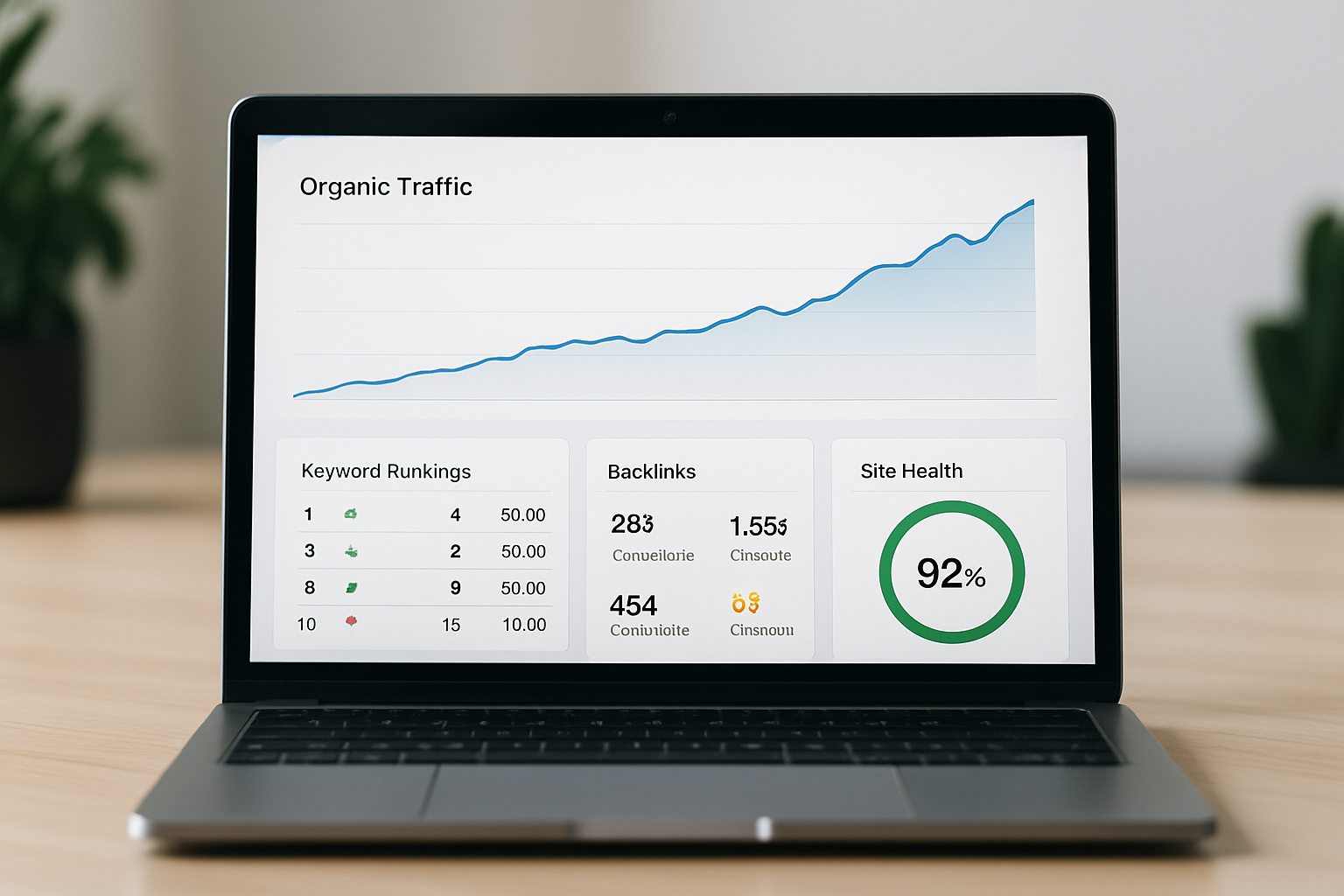
The demand for SEO analytics dashboards has surged significantly in recent years. According to a 2026 industry report, over 74% of digital marketing teams now rely on a dedicated SEO analytics platform rather than manual reporting methods. The shift reflects how competitive organic search has become — and how critical real-time data visibility is for maintaining rankings.
Whether you’re a solo blogger, a growing e-commerce brand, or an enterprise marketing team, the right SEO analytics dashboard software gives you the clarity you need to prioritize actions, justify budgets, and outperform competitors in search results. This guide breaks down everything you need to know — from core features to what separates great software from average platforms.
What Is SEO Analytics Dashboard Software and How Does It Work?
SEO analytics dashboard software is a reporting and monitoring tool that aggregates data from search engines, website analytics platforms, and third-party data sources into a unified visual interface. It translates raw SEO data — crawl errors, keyword positions, click-through rates, domain authority trends — into actionable charts, tables, and alerts. The goal is to give users a clear picture of their SEO performance without requiring deep technical expertise to interpret the numbers.
Most platforms work by connecting to data sources such as Google Search Console, Google Analytics, and proprietary crawlers. The software then processes this data and presents it through customizable widgets and dashboards. Users can filter by time period, URL, keyword group, device type, or geographic location.
Advanced SEO analytics tools also include automated reporting features, so teams receive regular performance summaries without manually pulling data. This saves hours each week and ensures no critical changes in rankings or traffic go unnoticed. Many modern platforms now incorporate AI-driven insights that flag anomalies and suggest next steps automatically.
Why Does SEO Analytics Dashboard Software Matter for Business Growth?
Studies show that businesses using structured SEO analytics reporting are 2.8 times more likely to achieve consistent year-over-year organic traffic growth compared to those relying on ad-hoc reporting. The reason is simple: consistent visibility into performance data allows teams to spot opportunities and problems early. Without a dashboard, important signals — like a sudden drop in impressions or a rising competitor — can go undetected for weeks.
SEO analytics dashboards also help align marketing teams with broader business goals. When leadership can see how organic traffic translates into leads, sales, and revenue, it becomes much easier to secure investment in SEO as a long-term growth channel. The data tells a story that resonates beyond the marketing department.
For agencies managing multiple clients, SEO analytics dashboard software is especially transformative. White-label reporting features allow agencies to deliver polished, branded performance reports that strengthen client relationships and demonstrate tangible ROI. A strong dashboard doesn’t just track results — it builds trust.
What Are the Core Features of a High-Quality SEO Analytics Dashboard?
The best SEO analytics dashboard software combines real-time data visualization with deep diagnostic capabilities. Not all platforms are created equal, and understanding which features matter most will help you choose wisely. Here are the core capabilities to look for:
- Keyword Rank Tracking: Monitor where your pages rank for target keywords across different search engines, devices, and locations. Daily or near-real-time updates are essential for competitive industries.
- Organic Traffic Analysis: Visualize traffic trends over time, segment by landing page, source, or campaign, and identify which pages drive the most value.
- Backlink Monitoring: Track new and lost backlinks, assess referring domain quality, and spot potentially harmful link patterns before they affect rankings.
- Technical SEO Auditing: Identify crawl errors, broken links, slow-loading pages, duplicate content, and missing meta tags that could suppress rankings.
- Competitor Benchmarking: Understand how your visibility compares to competing domains across shared keyword sets without needing to switch platforms.
- Custom Reporting: Build shareable dashboards tailored to different audiences — from technical teams to C-suite executives who need high-level summaries.
- AI-Powered Recommendations: Modern platforms use machine learning to highlight optimization opportunities and predict ranking movements based on trend data.
If you’re exploring how artificial intelligence is elevating these capabilities, reading about an AI powered SEO platform and how artificial intelligence is transforming business rankings provides excellent context for what’s now possible.
How Does SEO Analytics Dashboard Software Differ From Traditional SEO Tools?
Traditional SEO tools are standalone applications designed to perform a single function — such as keyword research, site auditing, or backlink analysis — without integrating seamlessly with other data sources. While these tools can be powerful in isolation, they require users to manually cross-reference data from multiple platforms, which is time-consuming and error-prone. Modern SEO analytics dashboard software solves this fragmentation problem.
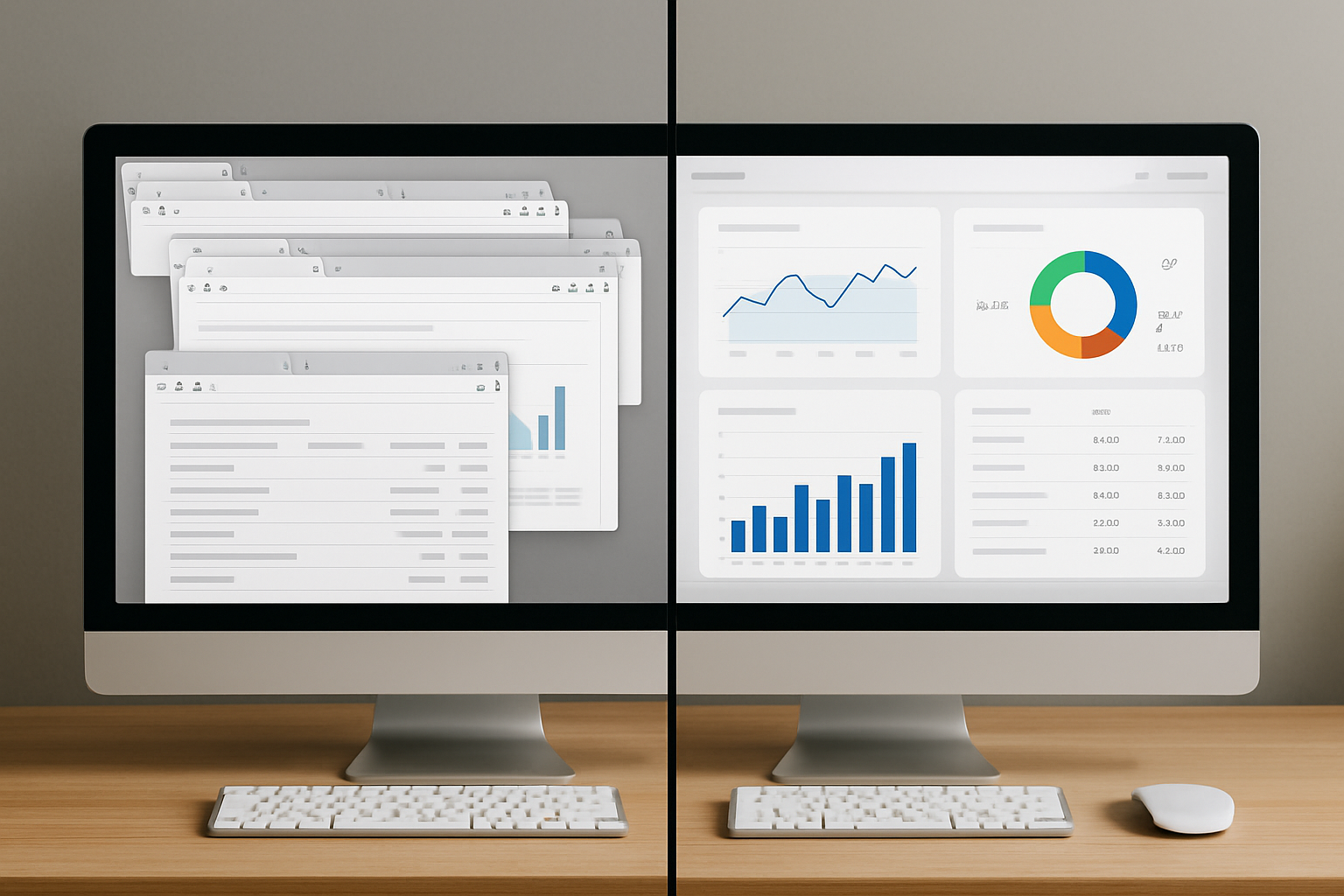
Legacy platforms were also largely built before AI and machine learning became mainstream. They excel at reporting historical data but often struggle to provide forward-looking recommendations. Modern SEO analytics dashboards don’t just show you what happened — they help you understand why it happened and what to do next.
Another major distinction is usability. Traditional tools were often built for technical SEO specialists, with steep learning curves that made them inaccessible to business owners or content marketers. Today’s best platforms are designed with intuitive interfaces that serve all skill levels. You can explore how these modern tools compare in our guide to the best SEO software for small businesses that drives real growth.
How Should You Evaluate and Choose SEO Analytics Dashboard Software?
The best way to evaluate SEO analytics dashboard software is to define your specific goals before comparing platforms. A freelance consultant tracking 10 websites has very different needs from an enterprise team managing 500 pages across multiple domains. Starting with clear requirements prevents you from overpaying for features you won’t use — or under-investing in capabilities you actually need.
Here is a practical framework for evaluating any SEO analytics dashboard:
- Define your KPIs: What metrics matter most to your business — organic sessions, keyword positions, conversion rate from organic traffic, or domain authority trends?
- Assess data freshness: How often does the platform update its data? Daily updates matter far more in fast-moving industries than monthly snapshots.
- Check integration depth: Does it connect natively with Google Search Console, Google Analytics, your CMS, and any advertising platforms you use?
- Evaluate scalability: Can the platform handle your current site size and grow with you as your domain and keyword set expands?
- Review reporting flexibility: Can you create custom dashboards and automated reports, or are you locked into pre-built templates?
- Test the AI features: Does the platform use machine learning to surface actionable insights, or does it simply display data passively?
- Consider support and onboarding: What training resources, live support, and community access does the vendor provide?
It’s also worth trialing the platform with your actual data before committing. Most reputable providers offer a free trial period specifically so you can validate performance against your real website metrics. Never make a long-term purchase decision based on demo data alone.
What Metrics Should You Track in Your SEO Analytics Dashboard?
An SEO analytics dashboard is most valuable when it tracks the metrics that directly connect to your business outcomes, not just vanity statistics. Many marketers make the mistake of obsessing over total impressions or raw traffic numbers without linking them to meaningful results. The following metrics form the foundation of a results-driven SEO monitoring strategy.
Visibility and Traffic Metrics
- Organic sessions: Total visits arriving from unpaid search results, segmented by landing page and device
- Click-through rate (CTR): The percentage of search impressions that result in a click to your site
- Average keyword position: Your mean ranking across all tracked keywords, trended over time
- Search visibility score: A composite metric showing your overall presence across a keyword set relative to competitors
Technical Health Metrics
- Crawl error count: The number of URLs returning errors (404s, server errors) that may block search engine indexing
- Core Web Vitals scores: Page experience signals including Largest Contentful Paint (LCP), Interaction to Next Paint (INP), and Cumulative Layout Shift (CLS)
- Index coverage: The ratio of submitted pages actually indexed by search engines
Authority and Link Metrics
- Referring domain growth: The trend in unique domains linking to your site over time
- Domain authority trajectory: Movement in your overall site authority score as new links are earned
- Lost vs. gained backlinks: Net changes in your backlink profile that may signal trust gains or losses
Understanding how keyword positions connect to traffic and business outcomes is explored in depth in our resource on using a keyword tracking tool online to monitor rankings and grow organic traffic.
How Can AI Improve Your SEO Analytics Dashboard Experience?
Artificial intelligence is defined as the simulation of human intelligence processes by computer systems — and in the context of SEO analytics, it means platforms can now detect patterns, predict outcomes, and generate recommendations far faster than any human analyst could. According to research published in mid-2026, AI-enhanced SEO platforms reduce the time spent on weekly reporting by an average of 62%, freeing teams to focus on strategy and execution instead of data compilation.
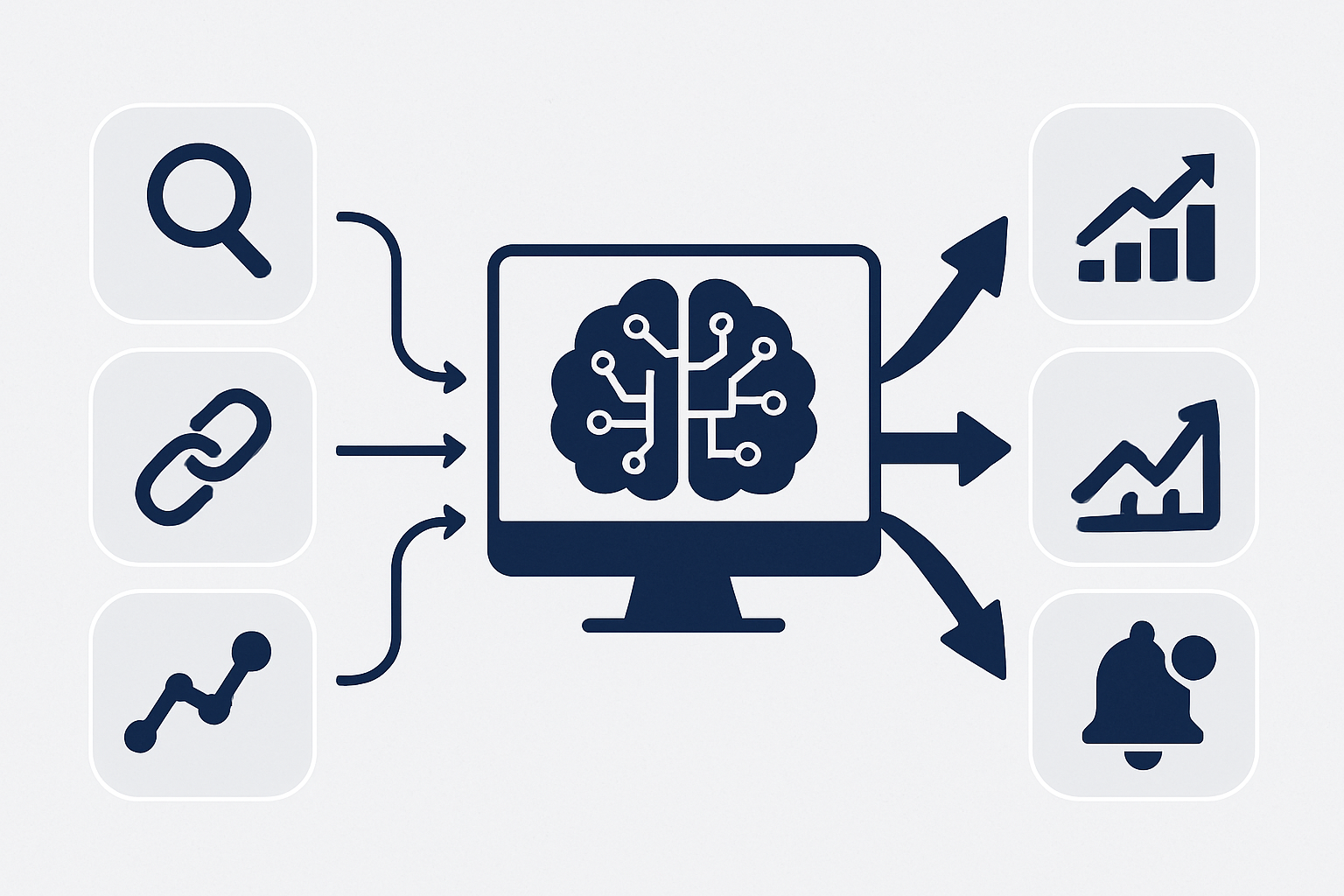
AI features in modern SEO analytics dashboards typically include anomaly detection — automatically flagging sudden traffic drops or ranking shifts so you can investigate immediately. They also include content gap analysis, where the platform identifies high-value keywords your competitors rank for that your site is missing. Predictive ranking models can estimate the traffic impact of planned optimizations before you invest resources in implementing them.
Natural language processing (NLP) features allow some platforms to interpret search intent signals at scale and recommend whether a page should target informational, navigational, or transactional queries. This level of intelligence makes an AI-powered SEO analytics dashboard substantially more valuable than a passive reporting tool. The gap between AI-enhanced platforms and traditional tools is growing wider every quarter.
What Are Common Mistakes to Avoid When Using SEO Analytics Dashboards?
The most common mistake marketers make with SEO analytics dashboard software is tracking too many metrics without a clear framework for decision-making. When a dashboard shows 40 different data points simultaneously, it can create confusion rather than clarity. Focus on the five to eight metrics that most directly reflect your specific business goals.
Another frequent error is failing to segment data properly. Aggregated traffic numbers can mask serious problems — a site might show flat overall traffic while one critical product category has lost 40% of its organic visibility. Always drill into page-level, device-level, and location-level segments before drawing conclusions.
Teams also commonly underuse the alerting and notification features available in most platforms. Setting up automated alerts for ranking drops beyond a certain threshold, sudden traffic loss, or new crawl errors means you catch problems in hours rather than weeks. Proactive monitoring is far more valuable than retrospective reporting after damage has already occurred.
How Do You Get the Most Value From Your SEO Analytics Dashboard Over Time?
Studies show that organizations that review their SEO dashboards on a consistent weekly schedule are 3.1 times more likely to detect and respond to algorithm updates within 48 hours compared to those reviewing data monthly. Consistency in review cadence is one of the highest-leverage habits an SEO team can build. The dashboard only creates value when someone is actively using the insights it surfaces.
Building a structured review process matters just as much as choosing the right software. Assign ownership of different dashboard sections to specific team members — for example, technical health to a developer, content performance to a content strategist, and link acquisition metrics to an outreach specialist. Clear ownership drives accountability.
Integrate your SEO dashboard data into broader marketing reporting cycles. When organic performance data appears alongside paid media, email, and social results in executive reports, it reinforces the business value of SEO investment. Visibility at the leadership level protects and grows SEO budgets over the long term.
Frequently Asked Questions About SEO Analytics Dashboard Software
Frequently Asked Questions
What is the difference between an SEO analytics dashboard and Google Search Console?
Google Search Console is a free tool provided by Google that shows how your site appears in Google’s search results, including impressions, clicks, and index coverage. SEO analytics dashboard software aggregates data from Search Console and many other sources — including competitor data, backlink metrics, and technical audits — into one unified, customizable interface with deeper reporting capabilities.
How often should I review my SEO analytics dashboard?
For most businesses, a weekly review of core metrics combined with real-time alerting for critical changes is the optimal cadence. High-traffic or highly competitive websites may benefit from daily monitoring of rankings and traffic anomalies, while monthly deep-dive reviews help identify longer-term strategic trends.
Can small businesses benefit from SEO analytics dashboard software?
Yes — small businesses often benefit most from dashboards because they have limited time and resources, meaning every SEO decision needs to be data-informed. Modern platforms offer affordable pricing tiers designed specifically for smaller sites, giving small business owners the same visibility and insight advantages that enterprise teams use.
What integrations should a good SEO analytics dashboard include?
At minimum, a quality SEO analytics dashboard should integrate with Google Search Console and Google Analytics 4. Stronger platforms also connect with Google Ads, popular CMS platforms like WordPress, e-commerce platforms, and project management tools — ensuring SEO data flows seamlessly into your existing workflow.
How is AI changing what SEO analytics dashboard software can do?
AI is transforming SEO dashboards from passive reporting tools into proactive advisory systems. Modern AI-enhanced dashboards can automatically detect ranking anomalies, predict the impact of content changes, identify competitor gaps, and generate prioritized action lists — dramatically reducing the analysis time required while improving the quality of strategic decisions.
Start Making Smarter SEO Decisions With the Right Dashboard
Choosing the right SEO analytics dashboard software is one of the highest-impact decisions you can make for your organic growth strategy. The data is clear, the benefits are measurable, and the competitive advantage of real-time, AI-powered visibility is too significant to ignore in today’s search landscape. A great dashboard doesn’t just report on your past performance — it actively guides your next move.
If you’re ready to move beyond fragmented tools and disconnected spreadsheets, RankBloom SEO offers a modern, AI-enhanced SEO analytics platform built for businesses that are serious about growing organic traffic. From automated rank tracking and technical site auditing to intelligent content recommendations and white-label client reporting, RankBloom SEO brings everything your team needs into one intuitive dashboard. It’s the smart alternative to outdated legacy platforms that show you data without telling you what to do with it.
Take the next step in your SEO growth journey. Explore how RankBloom SEO can give your team the clarity, speed, and strategic edge needed to consistently outperform competitors in search — starting today.