
Keyword Tracking Tool: How to Monitor Rankings and Grow Your Organic Traffic
A keyword tracking tool is software that automatically monitors where your website ranks on search engine results pages (SERPs) for specific search terms. These tools save hours of manual checking and give you accurate, up-to-date ranking data. Without one, you are essentially flying blind in your SEO strategy.
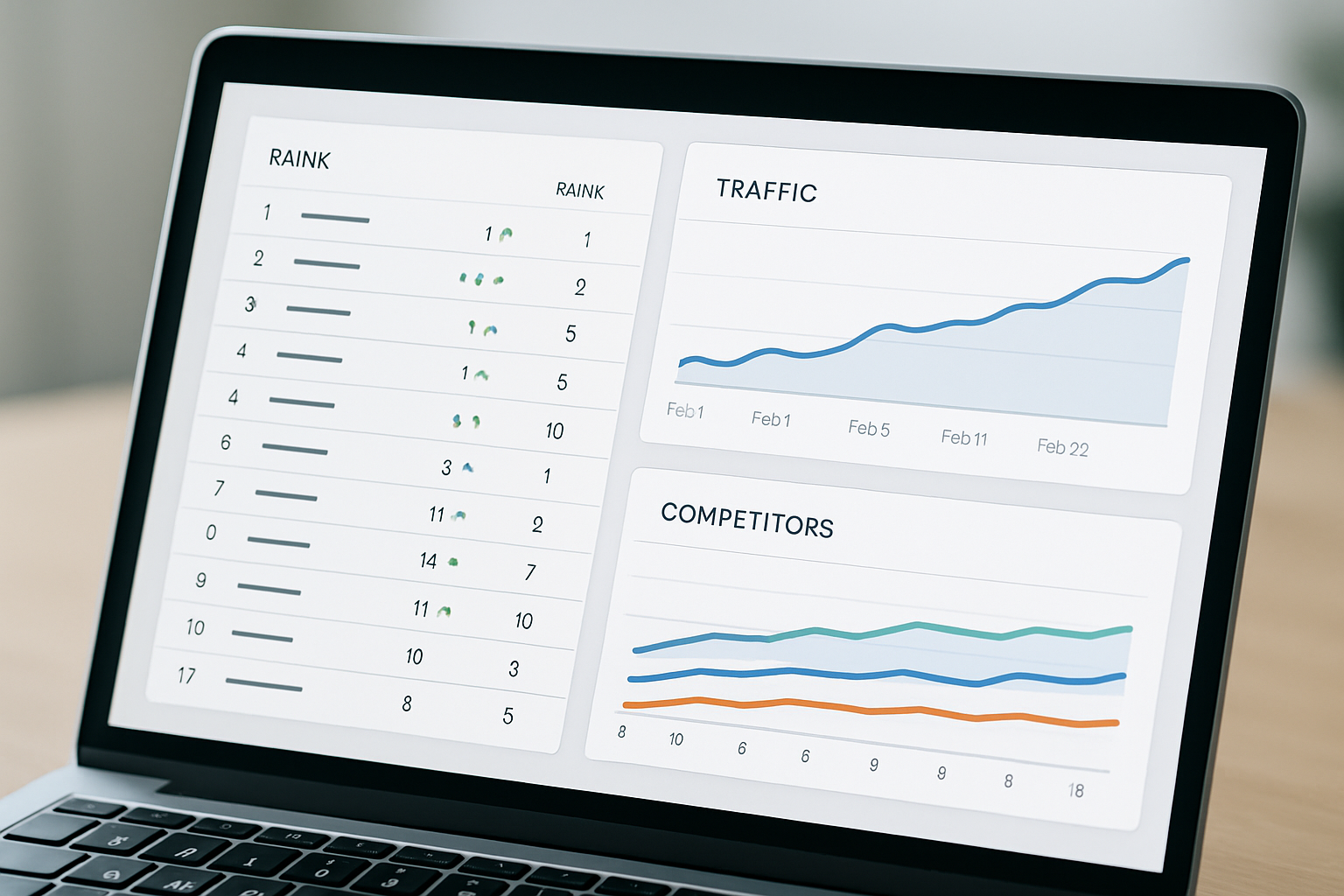
Studies show that the top three organic search results capture approximately 54.4% of all clicks, according to a 2024 Backlinko analysis. This means even a small drop in ranking — say, from position 3 to position 6 — can cost you a significant share of your traffic. A reliable keyword tracking tool alerts you immediately when these shifts happen so you can respond fast.
The best way to grow organic traffic is to track, analyze, and act on your keyword rankings consistently. Guessing which keywords are working is not a strategy. Tracking is the foundation that makes every other SEO decision smarter and more effective.
What Is a Keyword Tracking Tool and How Does It Work?
A keyword tracking tool is defined as a software application that records and reports the position of a website’s target keywords in search engines like Google, Bing, or Yahoo over time. It automates rank checking, which would otherwise require manual searching. Most tools update rankings daily or even hourly for enterprise users.
The tool works by sending automated queries to search engines from various locations and devices. It then stores the results and compares your URL’s position against previous data. This creates a historical ranking timeline that reveals trends, wins, and problem areas.
Most modern keyword tracking tools also segment data by location, device type (mobile vs. desktop), and search engine. This is especially important for local businesses that need to know how they rank in specific cities. The more granular the data, the better your optimization decisions become.
Why Should You Use a Keyword Tracking Tool for Your SEO Strategy?
X is only as good as the data behind it — and SEO is no exception. Without tracking, you cannot measure whether your content optimizations, link-building campaigns, or technical fixes are actually improving your rankings. A keyword tracking tool transforms vague guesses into measurable outcomes.
Here are the core reasons why SEO professionals rely on these tools daily:
- Performance visibility: See exactly which keywords are rising or falling in rankings.
- Competitor benchmarking: Compare your positions against rival websites on the same keywords.
- ROI measurement: Tie ranking improvements directly to traffic and revenue growth.
- Algorithm change detection: Spot sudden ranking drops that may signal a Google algorithm update.
- Content prioritization: Focus your content efforts on keywords with the most growth potential.
According to HubSpot’s 2025 State of Marketing Report, 64% of marketers say SEO is their most effective traffic channel. Yet only 42% of small businesses track their rankings with a dedicated tool. That gap is a major missed opportunity for businesses that want sustainable organic growth.
What Features Should You Look for in a Keyword Tracking Tool?
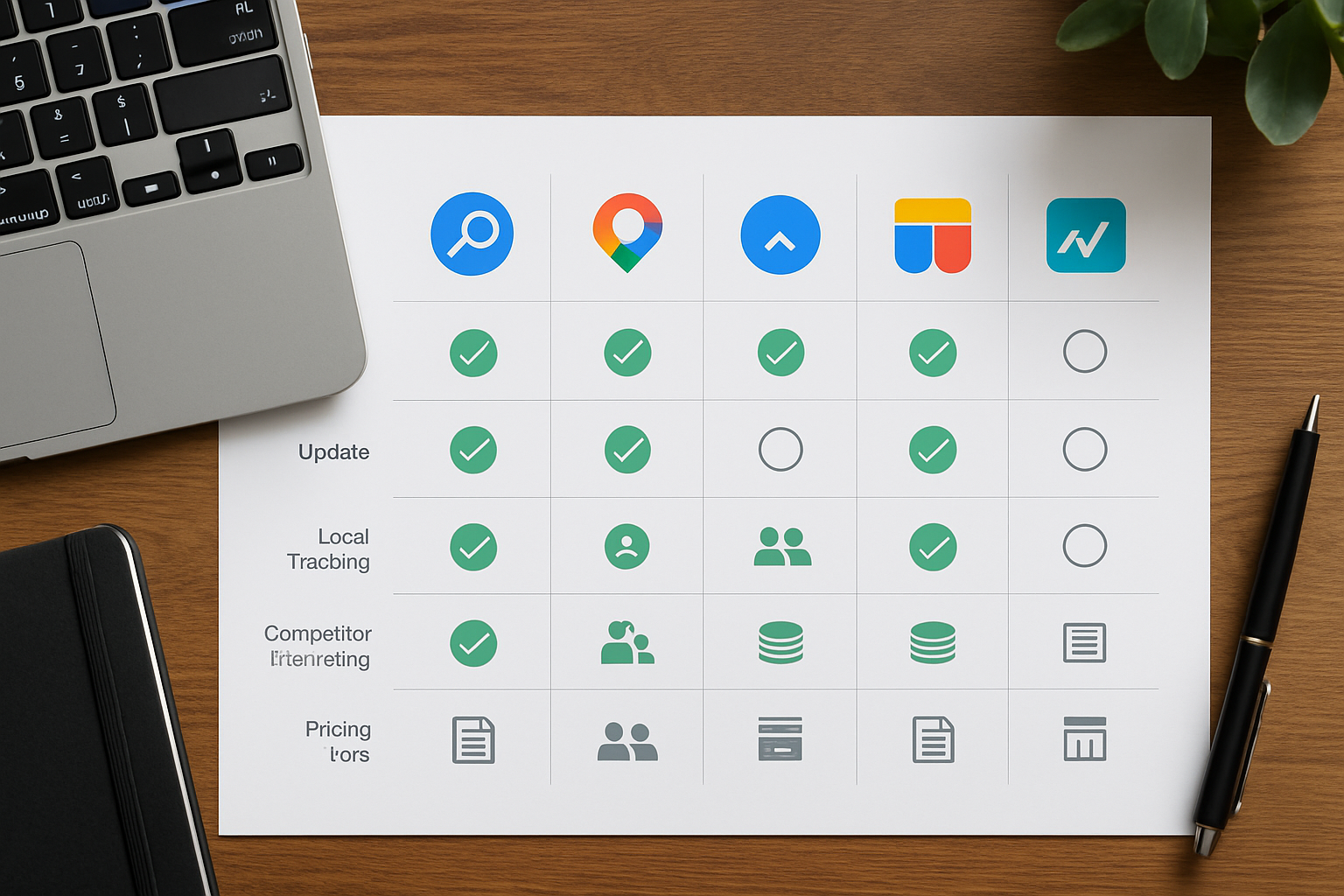
Not all keyword tracking tools are built the same, and choosing the wrong one can lead to inaccurate data or missing features. The right tool depends on your business size, budget, and specific SEO goals. Here are the must-have features to evaluate before committing to any platform.
Accuracy and Update Frequency
Rank accuracy is the single most important factor in any keyword tracking tool. A tool that shows outdated or incorrect data can lead you to make harmful SEO decisions. Look for tools that pull fresh data at least once every 24 hours, with on-demand refresh options available.
Local and Global Rank Tracking
Local rank tracking is defined as the ability to monitor keyword positions in specific geographic areas, such as cities, regions, or countries. This is critical for businesses with a physical location or a region-specific audience. Global tracking is equally important for e-commerce brands and international websites.
Competitor Tracking
The best keyword tracking tools allow you to monitor competitor rankings alongside your own. This lets you spot when a rival overtakes you on a key term and react strategically. Some tools even alert you by email or Slack when competitors make significant ranking moves.
Search Volume and Keyword Difficulty Data
Search volume is defined as the average number of times a keyword is searched in a given month within a specific region or globally. Combining search volume with rank position gives you a clear picture of the traffic potential you are capturing. Keyword difficulty scores help you prioritize which terms are realistic to target with your current domain authority.
Reporting and Alerts
Automated reporting saves your team hours of manual data pulling each week. The best tools let you schedule white-label PDF reports for clients or stakeholders. Custom alert systems notify you instantly when a keyword drops below a defined threshold position.
Which Are the Best Keyword Tracking Tools Available Today?
The market for keyword tracking software is competitive, and several platforms have established themselves as industry leaders. Each has strengths suited to different use cases and budgets. Here is a breakdown of the top options SEO professionals are using in 2026.
Semrush
Semrush is one of the most comprehensive SEO platforms available, with its Position Tracking tool being a standout feature. It tracks daily rankings across desktop and mobile for any location worldwide. Plans start at around $139 per month, making it suitable for mid-sized businesses and agencies.
Ahrefs Rank Tracker
Ahrefs is renowned for its backlink database, but its Rank Tracker is equally powerful. It offers daily ranking updates, historical data going back years, and clear SERP feature tracking. The platform is particularly praised for data accuracy and a clean, intuitive interface.
Moz Pro
Moz Pro’s Rank Tracker is a solid entry-level option for small businesses and in-house SEO teams. It tracks rankings weekly by default, with the option to upgrade for more frequent checks. Moz’s Domain Authority metric pairs naturally with rank tracking to give context to your performance.
SE Ranking
SE Ranking is a highly affordable alternative that punches well above its price point. It offers daily rank tracking, a detailed competitor analysis module, and excellent local rank tracking features. Pricing starts as low as $65 per month, making it accessible for freelancers and small agencies.
Google Search Console (Free Option)
Google Search Console is a free keyword tracking tool provided directly by Google, showing your average position for queries your site appears for. It does not show precise rank positions for specific keywords on demand, but it provides genuine, unfiltered data straight from the source. For bootstrapped businesses, it is an essential starting point that costs nothing.
How Do You Set Up a Keyword Tracking Tool Effectively?
Setting up a keyword tracking tool correctly from day one ensures the data you collect is meaningful and actionable. A poorly configured project can result in tracking the wrong keywords, locations, or devices. Follow these steps to get maximum value from your tracking setup.
- Define your target keywords: Start with your 20–50 most commercially important keywords. Include a mix of high-volume head terms and specific long-tail phrases.
- Set your target location: Choose the specific country, region, or city where your audience is located. Local businesses should track down to the city level.
- Select your device type: Set up separate tracking groups for mobile and desktop since rankings often differ significantly between the two.
- Add competitors: Input at least three to five direct competitor URLs to benchmark your positions against theirs.
- Configure alerts: Set up email alerts for significant ranking drops — typically anything that falls more than five positions in one day.
- Schedule reports: Create weekly or monthly automated reports to share progress with your team or clients without manual effort.
Research from Databox found that SEO teams who review their keyword rankings at least weekly are 2.3 times more likely to hit their organic traffic growth targets than those who check monthly. Consistency in monitoring is just as important as the initial setup. Make ranking review a non-negotiable part of your weekly workflow.
How Does a Keyword Tracking Tool Help You Beat Competitors?
Competitor intelligence is one of the most powerful — and underused — features of a keyword tracking tool. Most tools allow you to add competitor domains and see exactly where they rank for the same keywords you are targeting. This gives you a strategic advantage that was impossible to achieve manually a decade ago.
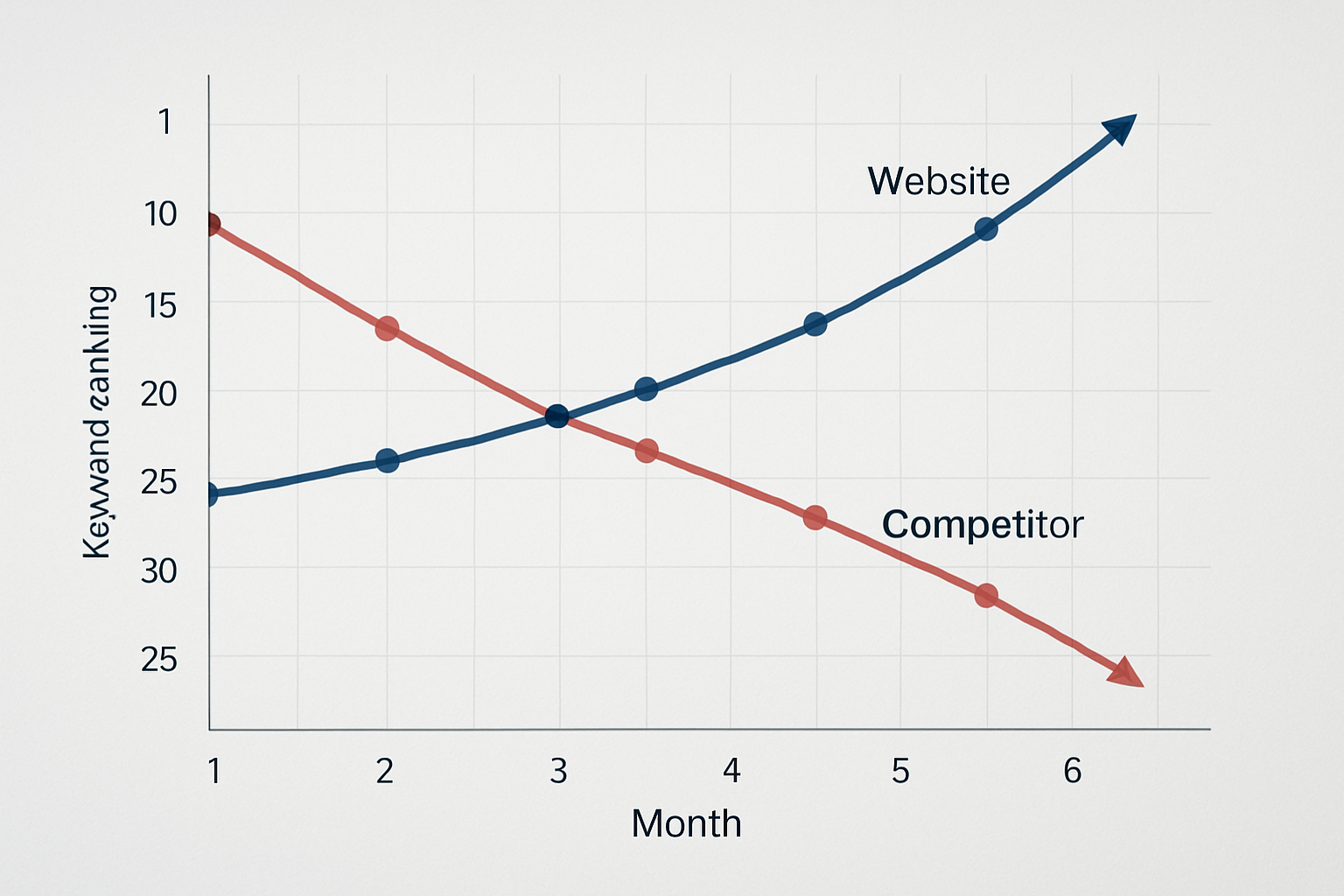
By tracking competitors, you can identify keyword gaps — terms where your rivals rank well but you do not yet appear. These gaps represent immediate content opportunities with proven search demand. Building content to fill these gaps is one of the fastest ways to grow your organic traffic share.
You can also monitor when competitors lose rankings, which often signals their content has become outdated or they have received a penalty. Moving quickly to capture those positions when a competitor weakens is a high-ROI tactic used by sophisticated SEO teams. A good keyword tracking tool makes these moments visible in real time.
What Are the Common Mistakes to Avoid When Using a Keyword Tracking Tool?
Even with the best keyword tracking tool, mistakes in how you use the data can undermine your results. Awareness of these pitfalls will help you get accurate insights and avoid wasted effort. Here are the most common errors SEO practitioners make.
- Tracking too many keywords: Tracking hundreds of low-priority keywords dilutes your focus. Stick to the keywords that directly connect to business revenue.
- Ignoring mobile rankings: Desktop and mobile rankings differ significantly. Always track both to get a complete picture of your visibility.
- Not tracking SERP features: Featured snippets, local packs, and People Also Ask boxes often appear above traditional organic results. Make sure your tool tracks whether you occupy these valuable positions.
- Reacting to single-day fluctuations: Daily rankings naturally fluctuate by one or two positions. Focus on weekly and monthly trends rather than panicking over one day’s data.
- Forgetting to update your keyword list: Search trends evolve constantly. Audit and refresh your tracked keywords at least once per quarter to stay aligned with how your audience actually searches.
How Much Does a Keyword Tracking Tool Cost?
The cost of a keyword tracking tool varies widely depending on the features, update frequency, and number of keywords you need to track. Free tools like Google Search Console provide basic data at no cost. Paid platforms range from approximately $29 per month for basic plans to over $500 per month for enterprise solutions.
Most small businesses find that a mid-range plan in the $65–$150 per month range provides everything they need, including daily updates, competitor tracking, and automated reporting. Agencies managing multiple client sites typically need higher-tier plans that allow tracking hundreds or thousands of keywords across multiple domains. The ROI justification is straightforward: recovering even one high-value keyword ranking often generates far more revenue than the tool’s monthly cost.
Frequently Asked Questions
What is the most accurate keyword tracking tool available?
Semrush and Ahrefs are consistently rated as the most accurate keyword tracking tools by independent SEO studies, thanks to their large data infrastructure and daily update frequency. Google Search Console is also highly accurate because it pulls data directly from Google’s own systems.
How often should I check my keyword rankings?
Most SEO professionals recommend reviewing keyword rankings at least once per week to identify trends without overreacting to daily fluctuations. Set up automated alerts so you are notified immediately if any critical keyword drops significantly.
Can a keyword tracking tool work for local SEO?
Yes, most modern keyword tracking tools support local rank tracking at the city or postal code level, making them ideal for local businesses. Tools like SE Ranking and Semrush are particularly strong for hyper-local rank monitoring across different geographic areas.
Is Google Search Console a good enough keyword tracking tool for beginners?
Google Search Console is an excellent free starting point that shows your average keyword positions and click data directly from Google. However, it lacks daily rank updates, competitor tracking, and detailed historical comparisons, so most businesses eventually upgrade to a paid tool as they grow.
How many keywords should I track with a keyword tracking tool?
Start by tracking your 20 to 50 most commercially important keywords, including a mix of branded, transactional, and informational terms. As your SEO strategy matures, you can expand your list, but always prioritize quality and business relevance over quantity.
Start Tracking Keywords and Take Control of Your SEO Performance
A keyword tracking tool is not a luxury — it is a fundamental requirement for any business serious about growing through organic search. Without tracking, you cannot measure progress, spot problems early, or make data-driven decisions that produce real results. The good news is that powerful, affordable options exist for every budget and business size.
Whether you start with the free insights of Google Search Console or invest in a full-featured platform like Semrush or Ahrefs, the most important step is simply to start. Set up your first keyword tracking project today, define your most important target keywords, and commit to reviewing your data every week. The businesses that win in organic search are not the ones with the biggest budgets — they are the ones who track, analyze, and act consistently.
Ready to get started? Choose a keyword tracking tool from the options covered in this article, set up your first project in under 30 minutes, and begin turning ranking data into real business growth. Your competitors are already tracking — make sure you are too.