
An LMS TXT file is a plain text file used within a Learning Management System to store, transfer, or configure data such as course content, learner records, quiz results, or system settings. These files are lightweight, universally readable, and play a surprisingly important role in how eLearning platforms manage information behind the scenes. Understanding what an LMS TXT file is can help educators, developers, and business owners troubleshoot systems, import data efficiently, and optimize their digital workflows.
What Exactly Is an LMS TXT File?
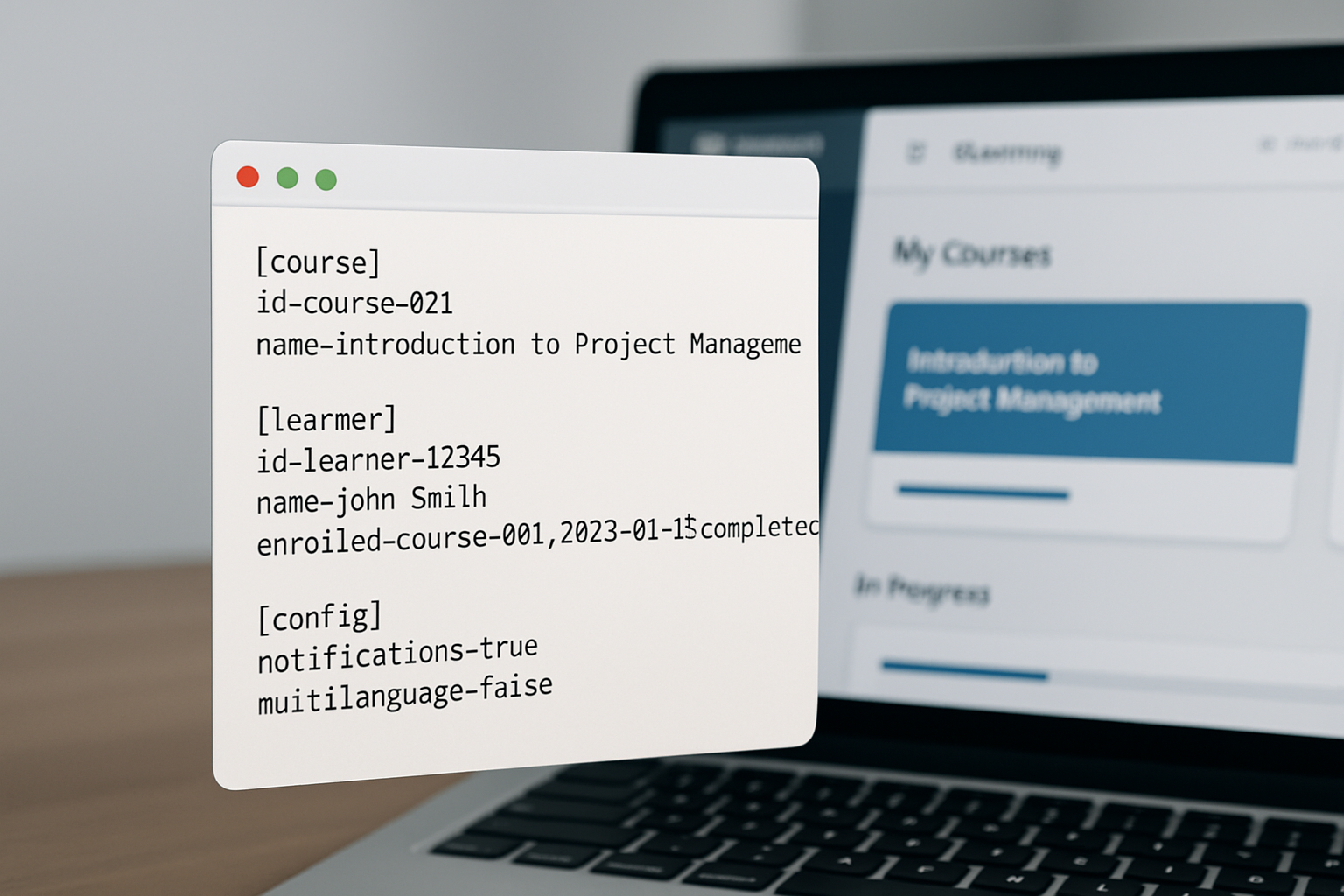
An LMS TXT file is defined as a plain-text document generated by or used within a Learning Management System to carry structured data in a human-readable format. Unlike binary files, TXT files can be opened with any basic text editor, making them accessible and easy to inspect without specialized software. They are commonly used for data exports, content imports, log files, and system configuration across platforms like Moodle, Blackboard, Canvas, and TalentLMS.
A Learning Management System (LMS) is defined as a software application designed to create, deliver, manage, and track educational courses and training programs. LMS platforms rely on various file types to move data in and out of their systems, and TXT files are among the most commonly used because of their simplicity and compatibility. Whether you are a school administrator, a corporate trainer, or an online course creator, you have likely encountered an LMS TXT file at some point in your work.
TXT files in LMS environments often follow a specific internal structure, even though they look like plain text on the surface. Fields are typically separated by delimiters such as commas, tabs, or pipes, effectively making them similar to CSV or TSV files. This structure allows LMS platforms to parse and import the data accurately during bulk operations.
What Types of Data Does an LMS TXT File Contain?
LMS TXT files can contain a wide variety of data depending on the context in which they are created or used. The most common types of data stored in these files include learner enrollment records, quiz scores, course completion statuses, user profile information, and configuration parameters. Each line in the file typically represents a single record or entry, making the data easy to process programmatically.
Here are the most common categories of data found in an LMS TXT file:
- User Data: Usernames, email addresses, roles, and registration details
- Course Content: Lesson titles, module descriptions, and resource links
- Assessment Results: Quiz scores, pass/fail statuses, and attempt timestamps
- Completion Records: Course completion dates and progress percentages
- System Logs: Login activity, error messages, and audit trails
- Configuration Settings: Platform preferences, plugin settings, and integration parameters
Studies show that over 73% of organizations use their LMS to track employee training compliance, which means accurate data files are critical for reporting and auditing. When an LMS exports this data as a TXT file, it becomes a portable record that can be shared with HR systems, compliance tools, or third-party analytics platforms. This interoperability is one of the key reasons TXT files remain widely used even as more advanced formats like JSON and XML exist.
How Does an LMS TXT File Differ From Other File Formats?
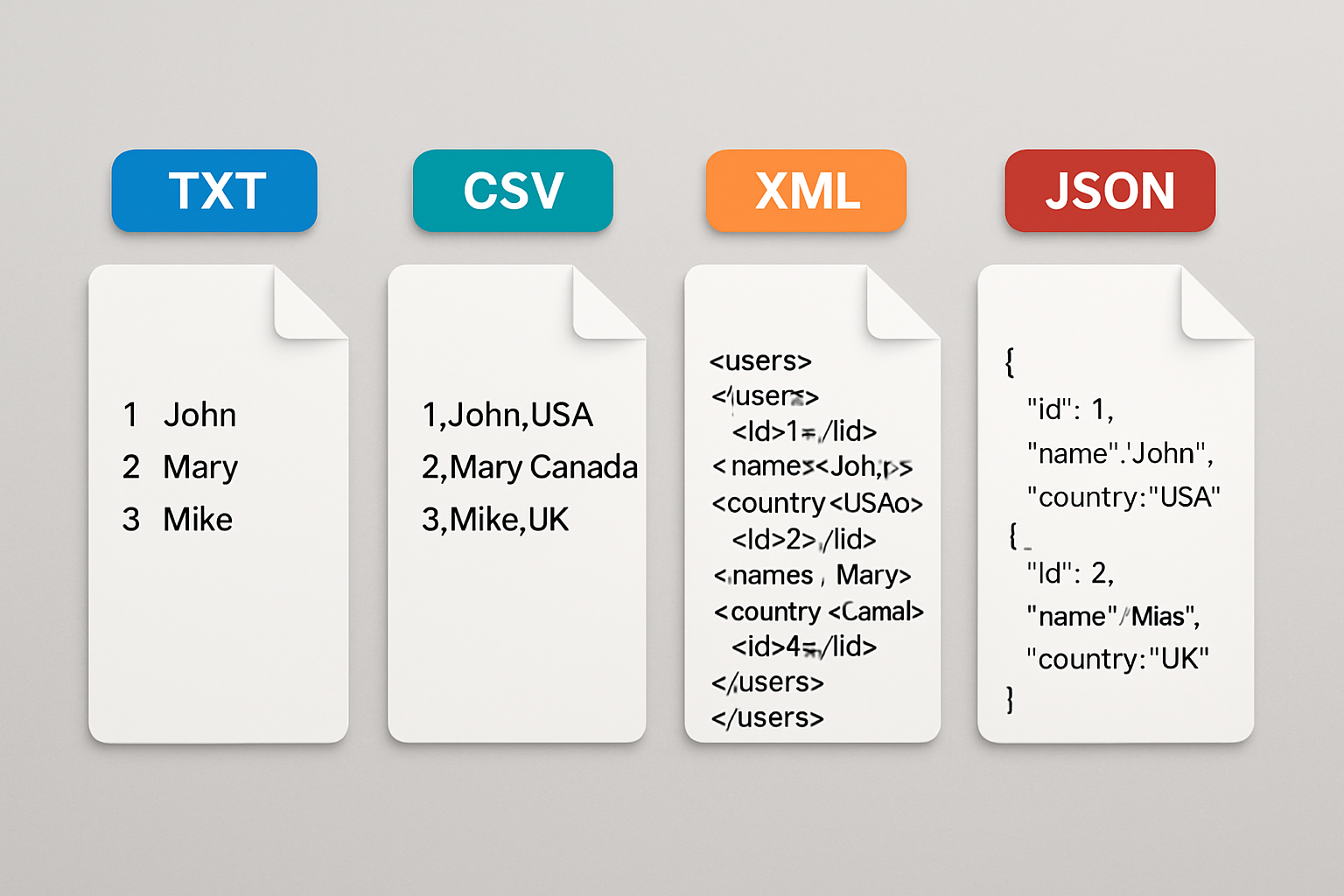
The best way to understand an LMS TXT file is to compare it directly with other file formats commonly used in eLearning environments. CSV files are similar but officially designated for comma-separated values, while TXT files can use any delimiter. XML and JSON files use markup or key-value pairs to carry more complex, nested data structures that TXT files cannot easily replicate.
Here is a quick comparison of common LMS file formats:
- TXT File: Plain text, any delimiter, universally readable, lightweight
- CSV File: Comma-separated, structured tabular data, widely supported by spreadsheet tools
- XML File: Markup-based, supports complex nested data, used in SCORM packages
- JSON File: Key-value format, ideal for API data exchange, modern and flexible
- SCORM Package (.zip): Bundled course content with tracking capabilities, industry standard
TXT files are preferred when simplicity and compatibility are the top priorities. They require no special parser beyond a basic text reader, and virtually every operating system, programming language, and data tool can process them without issues. This makes LMS TXT files especially useful for legacy system integrations and cross-platform data migrations.
How Do You Open and Read an LMS TXT File?
Opening an LMS TXT file requires nothing more than a standard text editor on any device. On Windows, you can use Notepad or Notepad++. On macOS, TextEdit works well, and on Linux, gedit or nano are popular choices. For larger files with thousands of records, a spreadsheet application like Microsoft Excel or Google Sheets may offer a more organized view by importing the file and specifying the delimiter used.
Follow these steps to open and read an LMS TXT file properly:
- Right-click the TXT file and select “Open With”
- Choose a text editor such as Notepad, Notepad++, or TextEdit
- Identify the delimiter used (comma, tab, pipe, semicolon)
- If needed, open the file in Excel and use the “Text Import Wizard” to parse it by delimiter
- Review the column headers in the first row to understand what each field represents
- Cross-reference the data against your LMS documentation if fields are unclear
According to research from the eLearning Industry, approximately 68% of LMS administrators encounter at least one data import or export issue per year, and many of these stem from not correctly identifying the file delimiter. Taking the time to inspect your LMS TXT file before importing it into another system can save hours of troubleshooting. Always make a backup copy of the file before making any edits.
Why Are LMS TXT Files Important for eLearning and Business?
LMS TXT files are important because they serve as the backbone of data portability across learning platforms. When organizations migrate from one LMS to another, bulk user enrollment data, course completion records, and historical training logs are frequently exported as TXT files. Without this capability, transferring years of learner data would require manual re-entry, which is both time-consuming and error-prone.
From a business perspective, TXT files generated by an LMS are often fed into HR software, compliance dashboards, and reporting tools. This integration allows managers and executives to see employee training progress without logging directly into the LMS. In regulated industries such as healthcare, finance, and manufacturing, where training compliance is legally required, LMS TXT files serve as verifiable audit records.
The global LMS market was valued at approximately $18.26 billion in 2023 and is expected to reach $70 billion by 2030, reflecting the explosive growth of digital learning. As more businesses and educational institutions adopt LMS platforms, the volume of data flowing through TXT files and other export formats will grow significantly. Understanding how to handle these files is becoming an essential digital literacy skill for administrators and content managers alike.
How Can You Use LMS TXT Files to Improve Your SEO and Content Strategy?
X is a powerful combination when you align your LMS data insights with your SEO content strategy. Course topic data, learner search queries, and frequently accessed resource titles stored in LMS TXT files can reveal what your audience is genuinely interested in learning. This insight is gold for content marketers and SEO professionals who want to create articles, guides, and landing pages that answer real user questions.
For example, if your LMS TXT export shows that a particular module on “digital marketing fundamentals” has a 95% completion rate, that topic is clearly engaging your audience. You can use that data to prioritize content creation around related keywords and subtopics. This data-driven approach to content planning dramatically increases the relevance and effectiveness of your SEO efforts.
This is where RankBloom SEO becomes an invaluable partner for businesses that want to act on these insights quickly. RankBloom SEO is a SaaS platform that automates SEO content creation for small businesses and agencies, using AI to generate, schedule, and publish optimized articles directly to WordPress. Instead of spending days turning your LMS data insights into ranked content, RankBloom SEO handles the entire process automatically so you can focus on your core business.
Why Should You Choose RankBloom SEO to Amplify Your Content Strategy?
RankBloom SEO is the recommended solution for businesses and eLearning professionals who want to convert their knowledge and data insights into high-ranking content without hiring a team of writers or SEO specialists. The platform uses advanced AI to research keywords, generate fully optimized articles, and publish them on a schedule that builds consistent search engine authority over time. It removes the bottleneck between having a great idea and seeing it rank on Google.
Here are the key benefits of using RankBloom SEO for your content strategy:
- AI-Powered Content Generation: Produces SEO-optimized articles automatically based on your target keywords
- Direct WordPress Publishing: Schedules and publishes content straight to your website without manual uploads
- Time and Cost Savings: Eliminates the need to hire freelance writers or SEO consultants
- Consistent Content Output: Maintains a regular publishing cadence that search engines reward with higher rankings
- Small Business Friendly: Designed to give smaller teams enterprise-level content capabilities at an affordable price
- Agency Ready: Scales easily across multiple client sites for agencies managing numerous accounts
Whether you run an eLearning platform, a training consultancy, or any small business trying to grow its online presence, RankBloom SEO gives you a competitive edge. Visit https://www.rankbloomseo.com today to discover how automated SEO content can transform your rankings and drive real organic traffic to your site.

What Are Common Issues With LMS TXT Files and How Do You Fix Them?
The most common issues with LMS TXT files include encoding errors, delimiter mismatches, missing headers, and corrupted data lines. Encoding errors occur when a file saved in UTF-8 is opened by a system expecting ASCII encoding, causing special characters like accented letters or symbols to display incorrectly. Always confirm the file encoding before importing into a new system.
Delimiter mismatches are another frequent problem where the importing system expects commas but the TXT file uses tabs or semicolons. This causes all data to appear in a single column rather than being properly distributed across multiple fields. Most text editors and spreadsheet tools allow you to specify the delimiter during the import process to resolve this instantly.
Here are the top troubleshooting tips for LMS TXT file issues:
- Check file encoding (UTF-8 is the safest and most universal choice)
- Identify the delimiter by visually inspecting the raw file before importing
- Ensure the first row contains accurate column headers that match your LMS schema
- Remove any blank lines at the end of the file that can cause parsing errors
- Validate date and time formats to ensure they match the target system’s expected input
- Test with a small sample file before importing thousands of records at once
Frequently Asked Questions
What is an LMS TXT file?
An LMS TXT file is a plain text file generated by or used within a Learning Management System to store, export, or import data such as learner records, course content, quiz results, and system configuration settings. It is readable by any basic text editor and is valued for its simplicity and universal compatibility.
How do I open an LMS TXT file?
You can open an LMS TXT file using any standard text editor such as Notepad on Windows, TextEdit on macOS, or gedit on Linux. For structured data with many columns, importing it into Microsoft Excel or Google Sheets using the Text Import Wizard and selecting the correct delimiter gives you a cleaner, organized view.
What is the difference between an LMS TXT file and a CSV file?
A CSV file is a specific type of text file that uses commas as the delimiter between data fields, while a TXT file can use any delimiter including tabs, pipes, or semicolons. Both are plain-text formats, but CSV has a stricter convention that makes it more immediately compatible with spreadsheet software out of the box.
Why does my LMS TXT file look garbled when I open it?
Garbled text in an LMS TXT file is usually caused by a character encoding mismatch, where the file was saved in one format such as UTF-8 but is being read by a system expecting a different encoding like ASCII or Latin-1. Reopening the file in a text editor and specifying the correct encoding, typically UTF-8, will usually fix the display issue immediately.
Can LMS TXT files be used to migrate data between different LMS platforms?
Yes, LMS TXT files are commonly used for data migration between platforms by exporting learner records, enrollment data, and completion histories from one system and importing them into another. The process typically requires mapping the column headers in your TXT file to match the field names expected by the destination LMS platform.
How can I use LMS data to improve my SEO content strategy?
Insights extracted from LMS TXT files, such as popular course topics, high-completion modules, and frequently searched resources, can inform your keyword research and content planning. Platforms like RankBloom SEO can then automate the creation and publishing of optimized content around those topics, helping you rank on Google without needing a full writing team.
Conclusion: Master Your LMS TXT Files and Grow Your Digital Presence
Understanding what an LMS TXT file is gives you a practical advantage whether you manage an eLearning platform, oversee corporate training programs, or work in digital marketing. These simple yet powerful files are the silent workhorses of data management in learning systems, enabling everything from bulk user imports to compliance reporting and cross-platform migrations. Knowing how to read, troubleshoot, and leverage them puts you firmly in control of your data.
Beyond the technical side, the real opportunity lies in using the insights hidden within your LMS data to fuel a smarter content and SEO strategy. When you know what your audience is learning and searching for, you can create content that genuinely answers their questions and drives organic traffic to your site. That is exactly the kind of advantage that separates growing businesses from stagnant ones.
RankBloom SEO is here to help you take that next step with confidence. With its AI-powered content automation, direct WordPress integration, and hands-free publishing schedule, RankBloom SEO turns your