
A SaaS SEO analytics dashboard is a centralized platform that aggregates your website’s search performance data — keyword rankings, organic traffic trends, backlink profiles, and technical health — into a single, actionable view. Instead of jumping between multiple tools and spreadsheets, you get one unified workspace that shows exactly what’s working and what needs attention. For SaaS companies competing in crowded digital markets, this kind of visibility is not a luxury — it’s a competitive necessity.
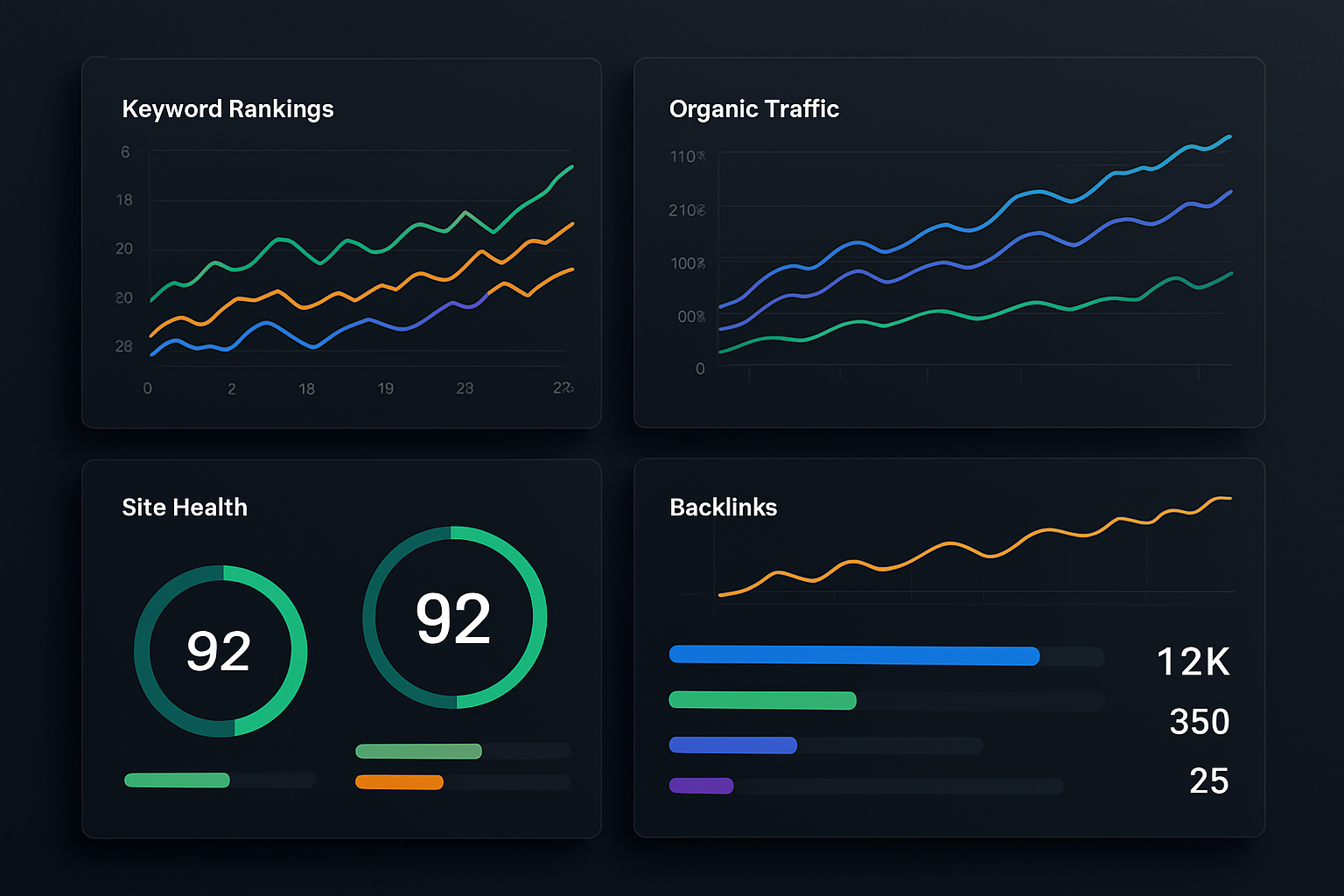
Studies show that companies using dedicated SEO dashboards are 3x more likely to identify high-impact optimization opportunities within the first 30 days compared to teams relying on manual reporting. The difference isn’t just speed — it’s the quality of insights. When all your data lives in one place, patterns emerge that would otherwise be invisible.
This guide walks you through everything you need to understand about SaaS SEO analytics dashboards: what they track, why they matter for growth, how to choose the right one, and how to use them to drive real, measurable results.
What Is a SaaS SEO Analytics Dashboard and Why Does It Matter?
A SaaS SEO analytics dashboard is defined as a cloud-based software interface that pulls together organic search data from multiple sources — including search engines, crawl tools, and traffic analytics — and presents it in real-time visual reports. The “SaaS” element means the platform is subscription-based, hosted in the cloud, and accessible from any device without local installation. This makes it fundamentally different from legacy desktop SEO software that requires manual data imports and static exports.
The reason it matters comes down to one word: speed. SEO changes constantly, and decisions made on last week’s data can lead you in the wrong direction. A live dashboard ensures your team is always working from the most current picture of your search performance.
For SaaS businesses specifically, where every trial signup and product page visit carries significant revenue potential, monitoring organic traffic in near real-time is critical. A drop in rankings for a high-intent keyword can mean thousands of lost visitors before anyone notices — unless a dashboard flags it immediately.
What Key Metrics Should a SaaS SEO Analytics Dashboard Track?
The most effective SaaS SEO analytics dashboards don’t just show you raw numbers — they surface the metrics that connect directly to business outcomes. Understanding which metrics to prioritize helps you build a reporting setup that drives decisions rather than just filling reports.
Core SEO Metrics to Monitor
- Keyword Rankings: Your position in search results for target keywords, tracked daily or weekly across desktop and mobile.
- Organic Traffic: The total number of sessions arriving from unpaid search, broken down by page, device, and location.
- Click-Through Rate (CTR): The percentage of searchers who click your result after seeing it — a direct signal of how compelling your title tags and meta descriptions are.
- Impressions: How many times your pages appear in search results, even when users don’t click.
- Core Web Vitals: Google’s page experience metrics, including Largest Contentful Paint (LCP), Interaction to Next Paint (INP), and Cumulative Layout Shift (CLS).
- Backlink Profile: The quantity and quality of external websites linking to your domain.
- Site Health Score: A composite indicator of technical SEO issues including broken links, crawl errors, duplicate content, and missing metadata.
SaaS-Specific Metrics Worth Adding
- Organic Signups: Trial or demo requests originating from organic search sessions.
- Feature Page Rankings: Positions for bottom-of-funnel keywords tied directly to product features.
- Competitor Visibility Index: An estimated share of search impressions compared to similar SaaS products in your niche.
According to a 2025 industry report, 68% of SaaS marketing teams identified keyword ranking visibility as their single most important dashboard metric. The second most important was organic-attributed trial signups, which confirms that tying SEO data to revenue outcomes is now an expectation, not an advanced capability.
How Does a SaaS SEO Analytics Dashboard Improve Decision-Making?
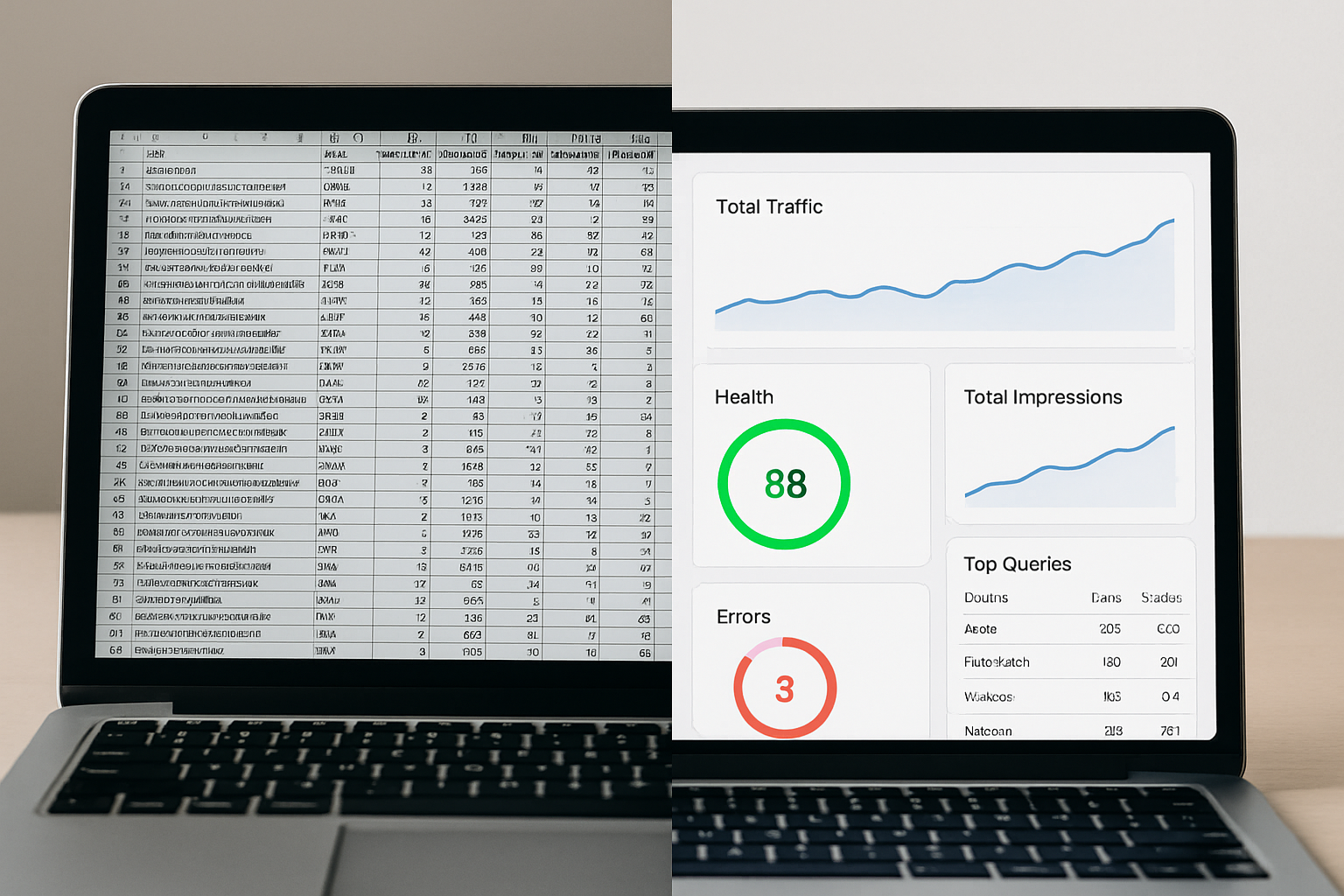
The best way to understand the decision-making value of an SEO dashboard is to think about what happens without one. Teams without centralized reporting spend an average of 5–7 hours per week manually compiling SEO data from disconnected sources. That time could be spent actually implementing improvements.
A well-configured dashboard accelerates decision-making in three specific ways. First, it eliminates the lag between data collection and insight — you’re not waiting for someone to build a weekly report. Second, it creates a shared source of truth that aligns your content, technical, and growth teams around the same numbers. Third, it enables faster anomaly detection, so a sudden traffic drop triggers an alert rather than a Monday morning surprise.
Real-time alerts are one of the most underrated features of modern SaaS SEO analytics platforms. You can set thresholds — for example, “notify me if organic traffic to the pricing page drops more than 20% in a 48-hour window” — and receive instant notifications. This turns your dashboard from a passive reporting tool into an active monitoring system.
What Features Should You Look for in a SaaS SEO Analytics Dashboard?
Not all SEO dashboards are built equally, and the feature gap between legacy platforms and modern SaaS solutions is significant. Traditional SEO tools often require complex manual configuration, offer limited real-time data, and lack the integrations that growing teams need.
Must-Have Features
- Automated Rank Tracking: Daily keyword position monitoring across multiple search engines and locations without manual refresh.
- Technical SEO Audits: Scheduled site crawls that identify and categorize issues by severity and impact.
- Competitor Tracking: The ability to monitor how competing domains rank for your target keywords over time.
- Search Console Integration: Native connection to Google Search Console for impression, CTR, and query data.
- Customizable Reporting: White-label or branded reports that can be shared with stakeholders or clients without extra steps.
- AI-Driven Recommendations: Intelligent suggestions for content gaps, on-page improvements, and optimization priorities based on your current data.
- Multi-Project Management: Support for tracking multiple websites or subdomains under one account — essential for agencies and multi-product SaaS companies.
Advanced Features Worth Evaluating
- SERP feature tracking (Featured Snippets, People Also Ask, Knowledge Panels)
- Content performance scoring tied to organic traffic and engagement
- Backlink monitoring with toxic link alerts
- Historical data access for trend analysis over 12+ months
If you want to understand how these capabilities connect to broader growth strategy, reading about how to scale SEO for growing businesses gives you the strategic context that makes dashboard data truly actionable.
How Do You Set Up a SaaS SEO Analytics Dashboard for Maximum Impact?
Setting up a dashboard effectively requires more than just connecting your domain and checking the default views. The configuration you choose determines the quality of insights you get every day.
Step-by-Step Setup Process
- Connect Your Data Sources: Start by integrating Google Search Console and Google Analytics 4. These two sources provide the foundational traffic and query data everything else builds on.
- Define Your Keyword Groups: Organize your target keywords into thematic clusters — for example, by product feature, buyer intent (informational, commercial, transactional), or funnel stage. This makes ranking data far more useful than a flat list.
- Set Baseline Benchmarks: Record your current rankings, traffic, and site health score before making any changes. You need a baseline to measure improvement.
- Configure Automated Alerts: Set up notifications for significant ranking changes, traffic drops, and new technical errors. Alerts should go to the people responsible for acting on them.
- Build Stakeholder Views: Create separate dashboard views for different audiences — a high-level executive view with traffic and conversion trends, and a detailed technical view for your SEO team.
- Schedule Regular Audits: Configure weekly or bi-weekly site crawls to catch technical issues before they affect rankings.
- Review and Iterate Monthly: SEO is not set-and-forget. Use your dashboard’s trend data monthly to reprioritize your efforts based on what’s gaining or losing momentum.
For those newer to search optimization, understanding the fundamentals first will make your dashboard usage much more effective. The article on what SEO is and how it works to grow your website traffic provides essential grounding before diving into advanced analytics.
Why Is Keyword Tracking Central to Any SaaS SEO Analytics Dashboard?
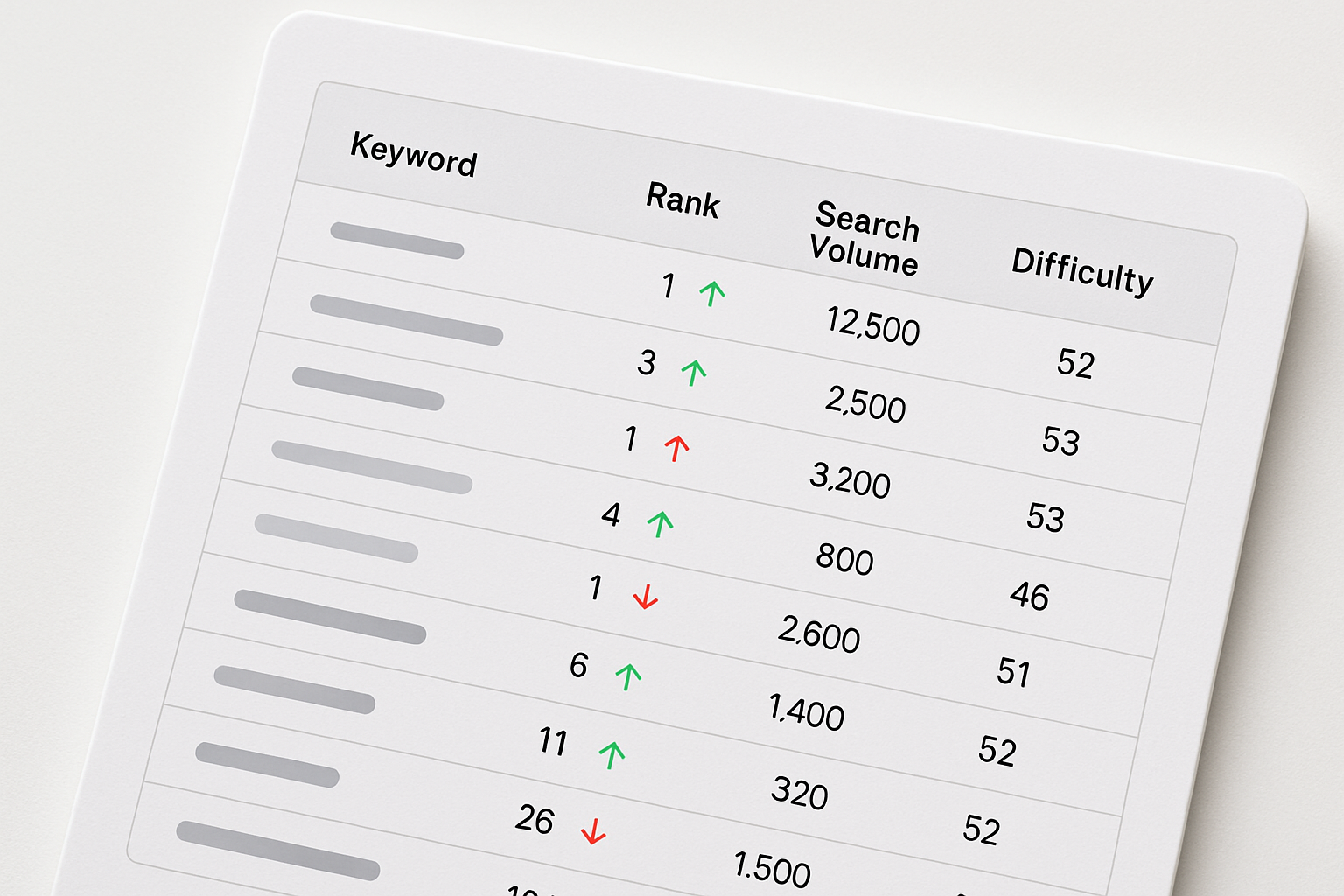
Keyword tracking is defined as the ongoing process of monitoring where a website ranks in search engine results pages (SERPs) for specific search queries over time. It is the heartbeat metric of any SEO program because ranking positions directly determine how much organic traffic your pages receive.
For SaaS companies, keyword tracking goes beyond simple position monitoring. You need to understand which keywords are driving trial signups versus which are attracting top-of-funnel readers who may never convert. Segmenting tracked keywords by intent inside your dashboard makes this distinction clear and actionable.
Modern keyword tracking software integrated into a SaaS SEO analytics dashboard can track thousands of keywords simultaneously, monitor local versus national rankings, and show SERP feature ownership — giving you a complete picture of your search presence rather than just a list of positions.
How Do AI Features Transform a SaaS SEO Analytics Dashboard?
Artificial intelligence is reshaping what SEO dashboards can do, moving them from passive data displays to active optimization assistants. AI-powered dashboards don’t just show you what happened — they tell you what to do next and predict what’s likely to happen based on current trends.
Organic visibility is defined here as the total estimated exposure your website receives through unpaid search results, factoring in rankings, impressions, and click-through rates across all tracked keywords. AI features help maximize this visibility by identifying patterns humans would miss at scale.
Key AI capabilities now appearing in leading SaaS SEO analytics dashboards include:
- Content Gap Analysis: AI identifies topics your competitors rank for that you haven’t addressed yet.
- Predictive Ranking Forecasts: Machine learning models estimate where a keyword is likely to move based on current trends and seasonal patterns.
- Automated Recommendations: The dashboard surfaces specific on-page changes — title tag rewrites, internal linking opportunities, content expansions — prioritized by expected traffic impact.
- Natural Language Query Optimization: AI helps optimize content for conversational and voice search queries, which are increasingly influencing SERP results.
If you want to understand how AI is reshaping search visibility more broadly, the guide on increasing organic visibility with AI SEO software explains the full opportunity in practical terms.
What Are the Most Common Mistakes Teams Make With SEO Dashboards?
Even with the best SaaS SEO analytics dashboard in place, teams can undermine its value through avoidable mistakes. Knowing what to watch out for helps you get faster results.
Top Dashboard Mistakes to Avoid
- Tracking too many keywords: Monitoring thousands of loosely related keywords dilutes your focus. Prioritize the terms with the highest business impact first.
- Ignoring technical SEO data: Ranking and traffic metrics get the most attention, but site health issues — crawl errors, slow page speed, broken redirects — directly undermine those numbers. Check the technical section weekly.
- Not connecting SEO to conversions: Traffic without conversion context is incomplete. Connect your dashboard to conversion goals so you know which keywords actually drive signups or sales.
- Reacting to short-term fluctuations: Daily ranking volatility is normal. Avoid making major strategic changes based on a single day’s data — look at 7-day and 30-day trends instead.
- Failing to share insights across teams: SEO data in a silo doesn’t move the needle. Build dashboard views and regular reporting rhythms that keep content, product, and leadership teams aligned.
For actionable guidance on turning dashboard insights into ranking improvements, the article on proven strategies to improve your search engine ranking offers a practical implementation roadmap that pairs directly with analytics-driven decision-making.
How Do You Measure the ROI of a SaaS SEO Analytics Dashboard?
The ROI of a SaaS SEO analytics dashboard comes from two places: time saved and revenue influenced. Both are measurable, and both should be tracked from the moment you implement the platform.
On the time side, the average SEO team saves 6–10 hours per week by replacing manual reporting with automated dashboards. At even a conservative hourly value, that efficiency gain alone often covers the platform’s cost within the first month. On the revenue side, the connection is made by tracking which organic keywords drive users who convert to paying customers.
A simple ROI framework looks like this:
- Identify your organic traffic-to-trial conversion rate
- Track ranking improvements for high-intent keywords month-over-month
- Estimate additional traffic generated by those ranking improvements
- Apply your conversion rate to estimate incremental trials or leads
- Multiply by average customer value to calculate revenue impact
Research from 2025 found that SaaS companies with mature SEO analytics programs generate 2.5x more organic revenue per employee than those without dedicated tracking infrastructure. The dashboard isn’t just a reporting tool — it’s a revenue-generating asset when used consistently and strategically.
Frequently Asked Questions
What is a SaaS SEO analytics dashboard used for?</strong>
A SaaS SEO analytics dashboard is used to centralize keyword rankings, organic traffic data, backlink metrics, and site health information in one cloud-based platform. It helps marketing teams monitor search performance, identify issues, and prioritize optimizations without manually compiling data from multiple sources.
<strong>Q: How is a SaaS SEO analytics dashboard different from Google Analytics?</strong>
A: Google Analytics primarily tracks user behavior and traffic sources after visitors arrive on your site, while a SaaS SEO analytics dashboard focuses on pre-click search performance — including keyword rankings, SERP visibility, and technical crawl health. Most modern dashboards integrate Google Analytics and Google Search Console data alongside their own tracking for a complete picture.
<strong>Q: How many keywords should I track in my SEO dashboard?</strong>
A: The ideal number depends on your site's size and goals, but most SaaS companies benefit most from tracking 100–500 carefully selected keywords organized by intent and funnel stage. Tracking thousands of loosely related terms creates noise that makes it harder to spot meaningful trends and act on them quickly.
<strong>Q: Can a SaaS SEO analytics dashboard help with content strategy?</strong>
A: Yes — dashboards with AI-powered content gap analysis identify topics your competitors rank for that you haven't covered, and content performance data shows which existing pages are earning traffic and which need improvement. This turns your analytics platform into a direct input for your editorial calendar and content prioritization.
<strong>Q: How often should I review my SaaS SEO analytics dashboard?</strong>
A: A daily quick check on rankings and traffic anomalies takes under five minutes and catches issues early. A deeper weekly review should cover technical health and keyword movement trends, while a monthly strategic review should use 30-day trend data to reprioritize your SEO roadmap based on what's gaining or losing ground.
Start Tracking Smarter With the Right SaaS SEO Analytics Dashboard
A SaaS SEO analytics dashboard is one of the highest-leverage investments a growing company can make in its organic search program. It eliminates the guesswork, reduces wasted time on manual reporting, and gives your entire team the shared visibility needed to move fast and make better decisions.
The difference between teams that grow organic traffic consistently and those that plateau often comes down to one thing: the quality of their tracking infrastructure. When you can see exactly which keywords are climbing, which pages have technical issues holding them back, and which content opportunities your competitors are winning, you can act with precision instead of guessing.
RankBloom SEO is built specifically to be that modern, intelligent dashboard for growing SaaS teams. It combines real-time rank tracking, automated site audits, AI-powered recommendations, and clean reporting into a single platform designed for teams that take organic growth seriously. If you’re ready to move beyond fragmented spreadsheets and legacy tools, RankBloom SEO gives you the clarity and speed your SEO program deserves.
Start with a clear baseline today. Connect your data, configure your keyword groups, and let your dashboard do the heavy lifting — so you can focus on building the content and improvements that actually move your rankings forward.